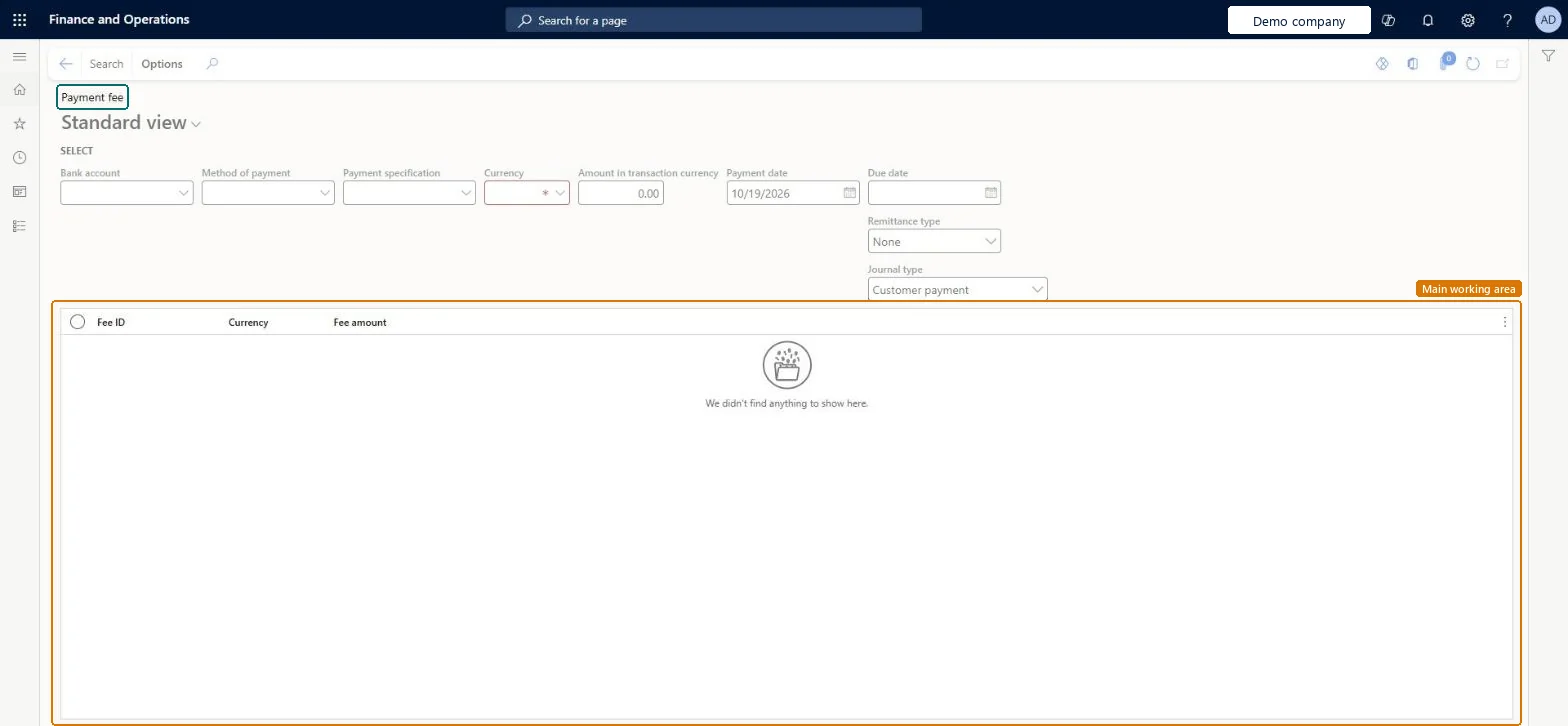
An inquiry page where you enter payment details, such as the bank account, method of payment, payment specification, currency and amount, and see a list of fees with their fee ID, currency and fee amount.
Credit and collectionsInquiries and reportsPayments
CustPaymFeeInquiry
Used by
Collections agent, Collections manager, Chief financial officer and 7 more roles
Business process
Process customer payments
Menu item
CustPaymFeeInquiry
Main table
CustVendPaymJournalFee
Data entity
CustomerPaymentJournalFeeEntity
Show what matters for
PAGE GUIDEWhat the page does and how to use it7 sections. Choose a role to highlight what matters to you.
Everyone
1What it is and why
What it is
An inquiry page where you enter payment details, such as the bank account, method of payment, payment specification, currency and amount, and see a list of fees with their fee ID, currency and fee amount.
What you do here
Use this page to look up the payment fees that apply to a payment you describe. Enter the selection fields, such as the payment date, due date, remittance type and journal type, and use Search.
The page in Dynamics 365. page title tab to open what to set or check
Credit and collections › Inquiries and reports › Payments › Payment fee
End user · Functional consultant
3How to do it
About the examples: Examples and screenshots in this guide use BEAT, a demo company in a Dynamics 365 test environment. Use your own company's codes and values instead of copying them.
How to use it
Go to Credit and collections > Inquiries and reports > Payments > Payment fee.
Choose the Bank account, Method of payment and Payment specification.
Choose the Currency, which is required, and enter the Amount in transaction currency.
Enter the Payment date and Due date, and choose the Remittance type and Journal type.
Select Search on the Action Pane.
Read the Fee ID, Currency and Fee amount columns in the list.
To use itCollections manager CollectionLetterCollectionsManagerCollections agent CollectionLetterCollectionsAgentAccounts receivable manager CustInvoiceAccountsReceivableManagerAccounting supervisor LedgerAccountingSupervisorAccounts receivable payments clerk PaymAccountsReceivablePaymentsClerkGive people one of these roles. On this system, 10 roles can open this page.Checked in Dynamics 365
Actions on the page
Options: Personalize, Page options, ShareChecked in Dynamics 365