Credit and collections › Inquiries and reports › Customers › Customer balance list report
End user · Functional consultant
3How to do it
About the examples: Examples and screenshots in this guide use BEAT, a demo company in a Dynamics 365 test environment. Use your own company's codes and values instead of copying them.
When to run it
When to run it
At period end for reconciliation with the ledger, and whenever collections need aged balances as of a past date.
How often
At each period end, and on demand for collections.
What the output shows
Balances per customer split into aging periods or date intervals, with transaction details when Details is on. Older periods that look too high often mean unsettled payments aren't positioned; turn on Payment positioning to see them.
Go to Credit and collections > Inquiries and reports > Customers > Customer balance list report.
Enter Aging as of for the current aging bucket and Balance as of as the cutoff date for transactions.
In Criteria choose Transaction date, Due date or Document date, and select an Aging period definition with no more than six periods; Interval and Printing direction are used only without one.
Turn on Details to list the transactions behind each balance, and Include amounts in transaction currency for foreign-currency customers.
Set Exclude zero balance accounts, Negative balance and Payment positioning; with Payment positioning, unsettled payments show in the first column.
Check that the report total matches the customer balance in the ledger for the Balance as of date.
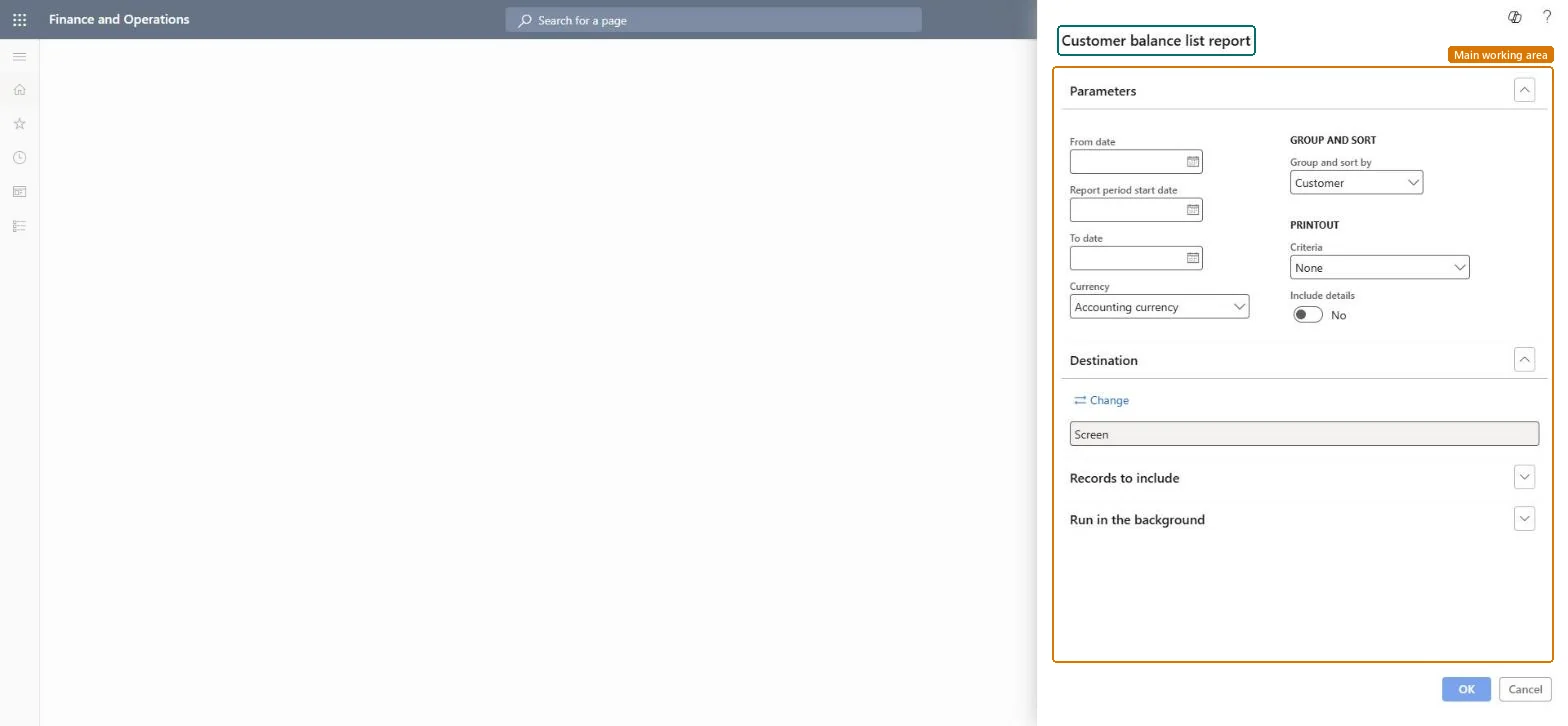
Date used to calculate the Opening balance column.Microsoft Learn
Report period start date
Start of the period used for the Debit and Credit columns.Microsoft Learn
To date
End of the period; also used for the Closing balance column.Microsoft Learn
Group and sort by
Groups the report by customer or by main account.Microsoft Learn
Criteria
Which accounts to print: all, or only those with an opening balance, transactions or a closing balance.Microsoft Learn
Include details
Shows details for each main account when grouping by customer.Microsoft Learn
Solution architect
4Design impact
Can it be undone
Nothing to undo: The aging report only reads customer transactions; it changes nothing. Microsoft Learn
Technical architect
5Technical
Menu item
output:CustProvisionalBalanceChecked in Dynamics 365
Form
SysOperationTemplateFormChecked in Dynamics 365
Roles to set it up and use it
To use itCollections manager CollectionLetterCollectionsManagerCollections agent CollectionLetterCollectionsAgentAccounts receivable manager CustInvoiceAccountsReceivableManagerAccounting manager LedgerAccountingManagerAccounting supervisor LedgerAccountingSupervisorGive people one of these roles. On this system, 13 roles can run this page.Checked in Dynamics 365