PAGE GUIDEWhat the page does and how to use it7 sections. Choose a role to highlight what matters to you.
Everyone
1What it is and why
What it is
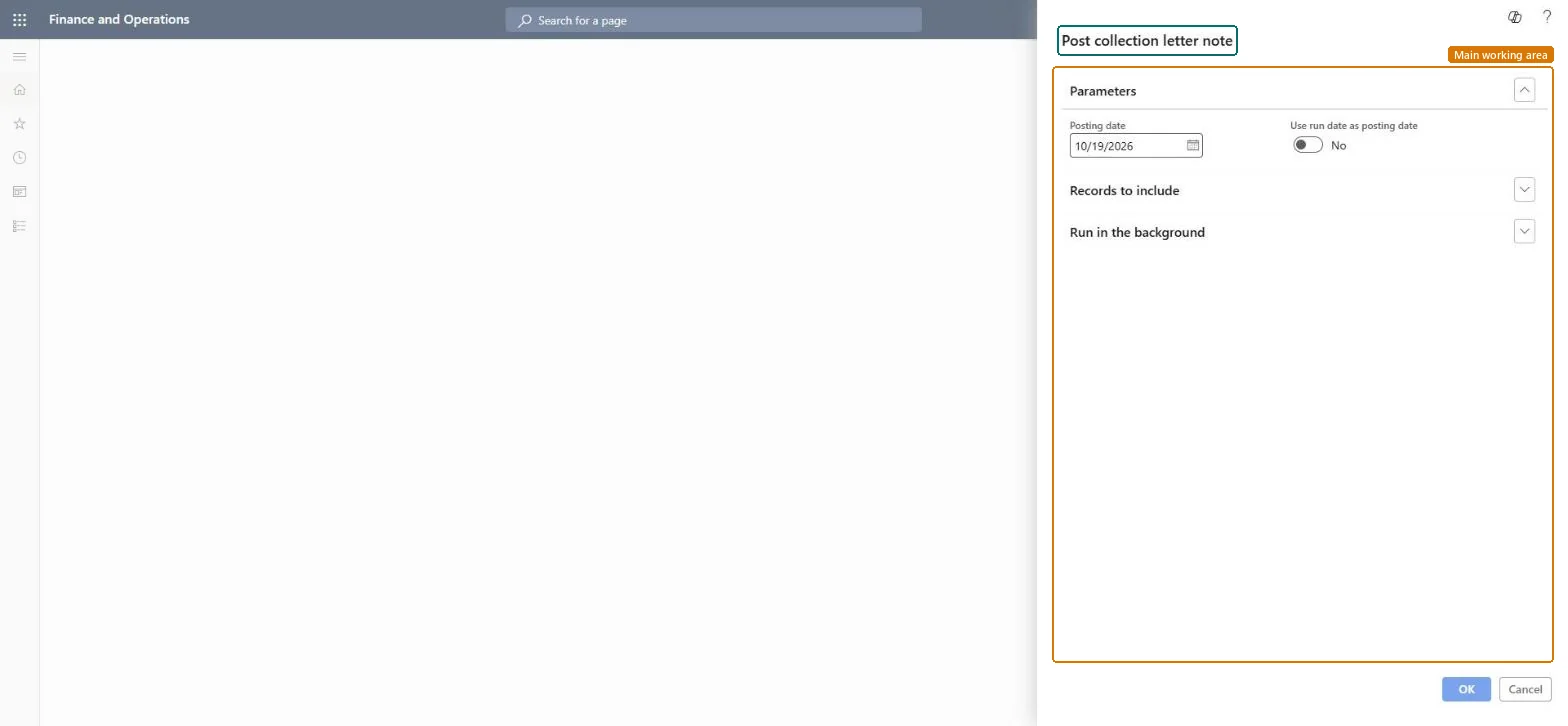
A dialog titled Post collection letter note that asks for a posting date and the records to include.
What you do here
Use this dialog to enter the posting date, or to use the run date as the posting date, choose the records to include, and run the task in the background if you want.
The page in Dynamics 365. page title tab to open what to set or check
Credit and collections › Collection letter › Post collection letters
End user · Functional consultant
3How to do it
About the examples: Examples and screenshots in this guide use BEAT, a demo company in a Dynamics 365 test environment. Use your own company's codes and values instead of copying them.
When to run it
When to run it
After the collection letters are created, reviewed and printed, and are ready to be recorded against the customers.
How often
Once per collection run, right after the letters are printed.
What the output shows
The selected collection letters get status Posted with the posting date you entered and count toward each customer's collection letter sequence. A letter still in Created wasn't in the selection.
No: Posted collection letters can't be unposted here. Check the printed letters before you post them. Microsoft Learn
If you change it later
Posts the selected collection letters and records them in each customer's collection letter history. Microsoft Learn
Technical architect
5Technical
Menu item
action:CustCollectionLetterPostChecked in Dynamics 365
Form
DialogChecked in Dynamics 365
Roles to set it up and use it
To use itCollections manager CollectionLetterCollectionsManagerCollections agent CollectionLetterCollectionsAgentGive people one of these roles. On this system, 2 roles can run this page.Checked in Dynamics 365