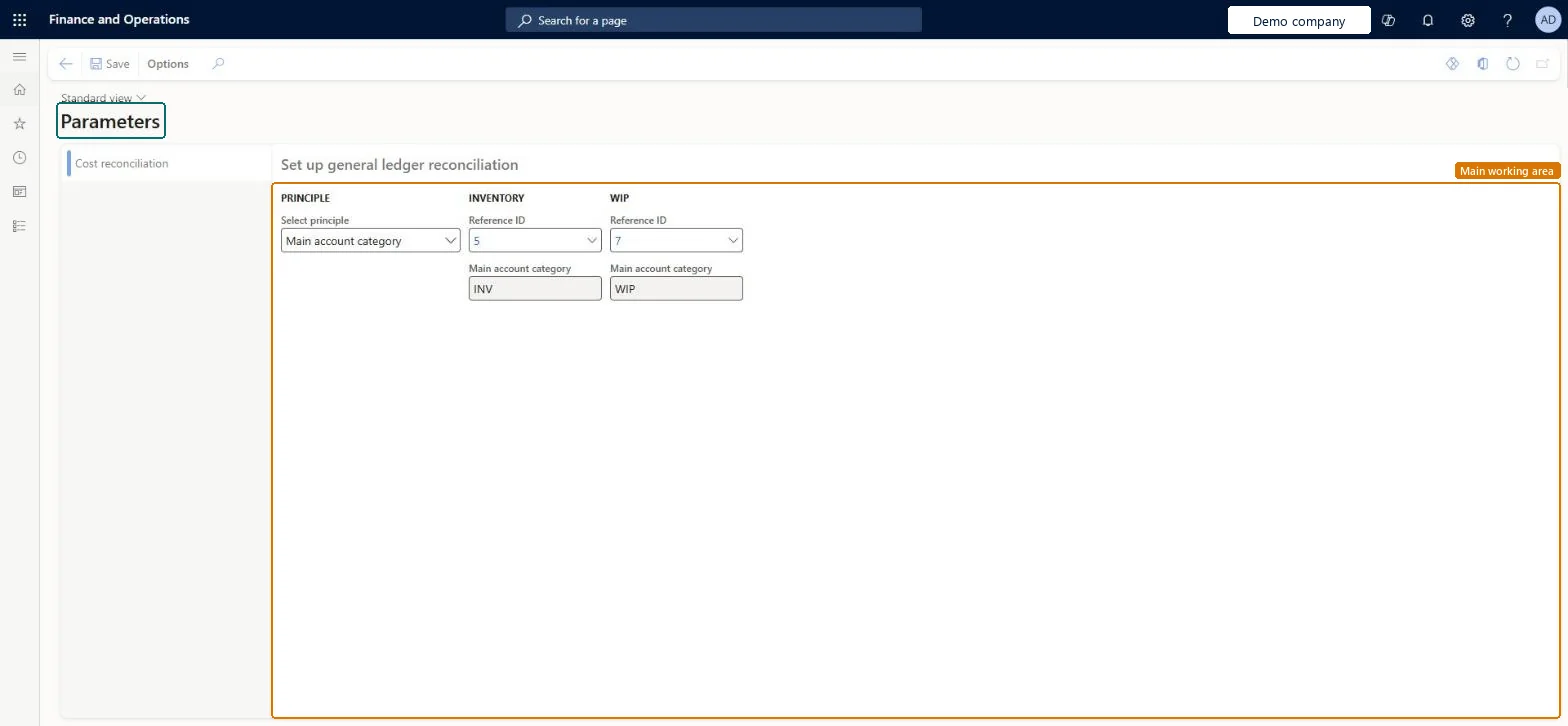
A setup page where you set up general ledger reconciliation for inventory and work in process (WIP) by choosing a reconciliation principle and the main account categories to compare against.
PAGE GUIDEWhat the page does and how to use it7 sections. Choose a role to highlight what matters to you.
Everyone
1What it is and why
What it is
A setup page where you set up general ledger reconciliation for inventory and work in process (WIP) by choosing a reconciliation principle and the main account categories to compare against.
What you do here
Use this page to choose how inventory and WIP values are matched to the general ledger, such as by main account category.
The page in Dynamics 365. page title tab to open what to set or check
About the examples: Examples and screenshots in this guide use BEAT, a demo company in a Dynamics 365 test environment. Use your own company's codes and values instead of copying them.
Setup steps on this page
Set up Parameters
Use this page to choose how inventory and WIP values are matched to the general ledger, such as by main account category.
How to use it
Go to Cost management > Ledger integration policies setup > Parameters.
On the Cost reconciliation tab, in the Select principle field, select the principle to use, such as Main account category.
Under Inventory, select the Reference ID of the main account category for inventory.
Under WIP, select the Reference ID of the main account category for work in process.
Check the Main account category shown under each Reference ID.
To set it up or change itAccounting manager LedgerAccountingManagerTo use itInventory accountant InventCostAccountantInventory accountant clerk InventCostCostClerkGive people one of these roles. On this system, 3 roles can open this page.Checked in Dynamics 365
CostLedgerReconciliationPolicyEntity (Reconciliation parameters): loaded for each company, in Microsoft's default template 420 - Costing.Load order: Microsoft's default template 420 - Costing loads Reconciliation parameters at execution unit 1, level 30, sequence 10. Lower levels load first, and entities at the same level load in sequence order.Load first: the default templates at lower levels (System setup to General ledger)Microsoft Learn