About the examples: Examples and screenshots in this guide use BEAT, a demo company in a Dynamics 365 test environment. Use your own company's codes and values instead of copying them.
When to run it
When to run it
When old BOM and cost calculation details are no longer needed for analysis, for example after a new standard costing version is active.
How often
On demand, after the business confirms which calculation history can go.
Batch settings
Run it as a batch job outside business hours when many calculations are stored.
What the output shows
Stored cost calculation details before the chosen dates are deleted for the selected calculation kinds. If a recent calculation lost its details, a date or Apply to option was set too wide.
Go to Cost management > Inventory accounting > Clean up > Cost calculation details.
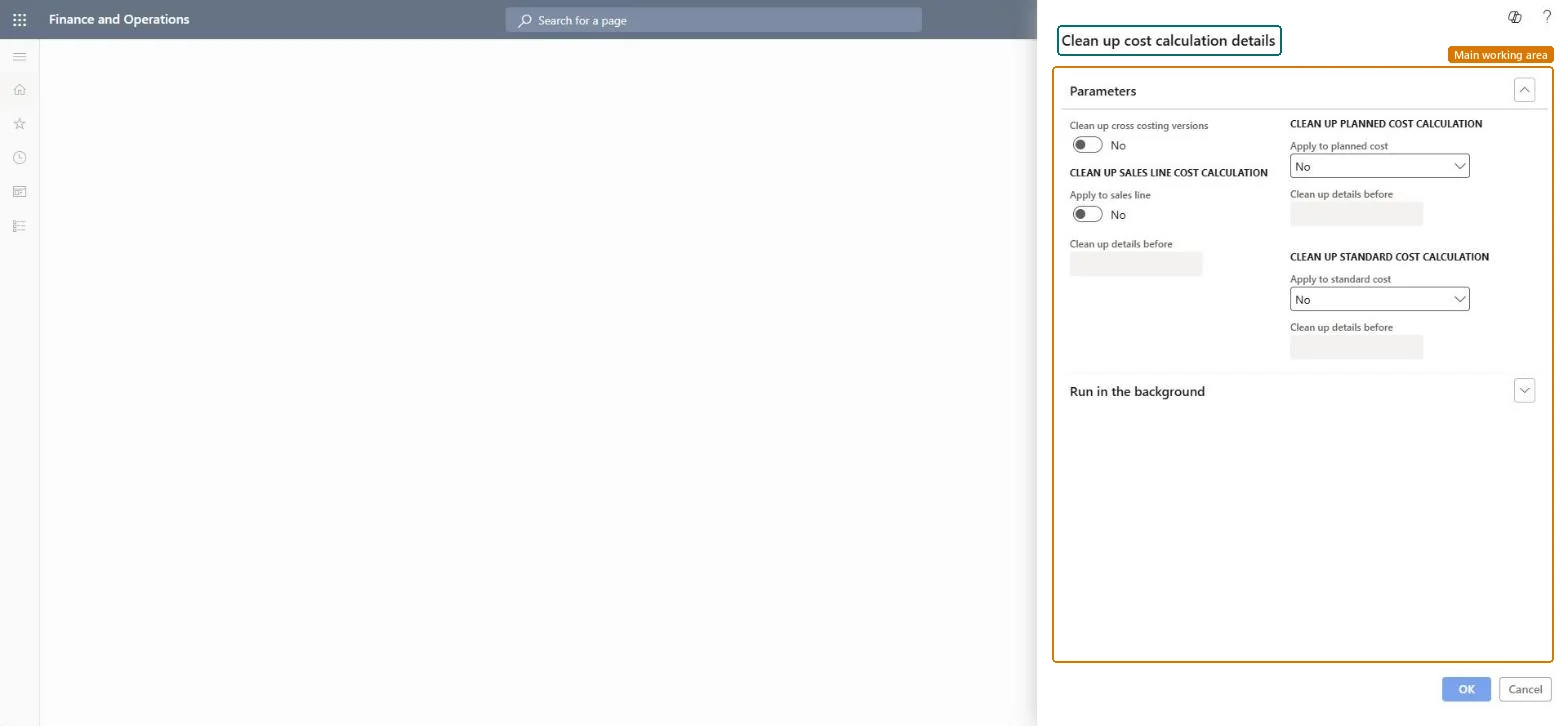
Under Parameters, set Clean up cross costing versions to Yes if details from all costing versions should be included, or No to keep it narrower.
Turn on Apply to sales line, Apply to planned cost and Apply to standard cost only for the kinds of cost calculation whose details you want to remove.
For each kind you turned on, enter the Clean up details before date; calculation details older than that date are removed.
Run it in the background outside business hours, then open the calculation details of an old and a recent calculation to see that only the old details are gone.
No: Deleted calculation details can't be restored. To see them again you must run the cost calculation again. Microsoft Learn
If you change it later
Removes stored cost calculation details, so older calculations can no longer be analyzed line by line. Microsoft Learn
Technical architect
5Technical
Menu item
action:BOMCalcCleanUpChecked in Dynamics 365
Form
DialogChecked in Dynamics 365
Roles to set it up and use it
To use itInventory accountant clerk InventCostCostClerkInformation technology manager SysServerITManagerGive people one of these roles. On this system, 2 roles can run this page.Checked in Dynamics 365