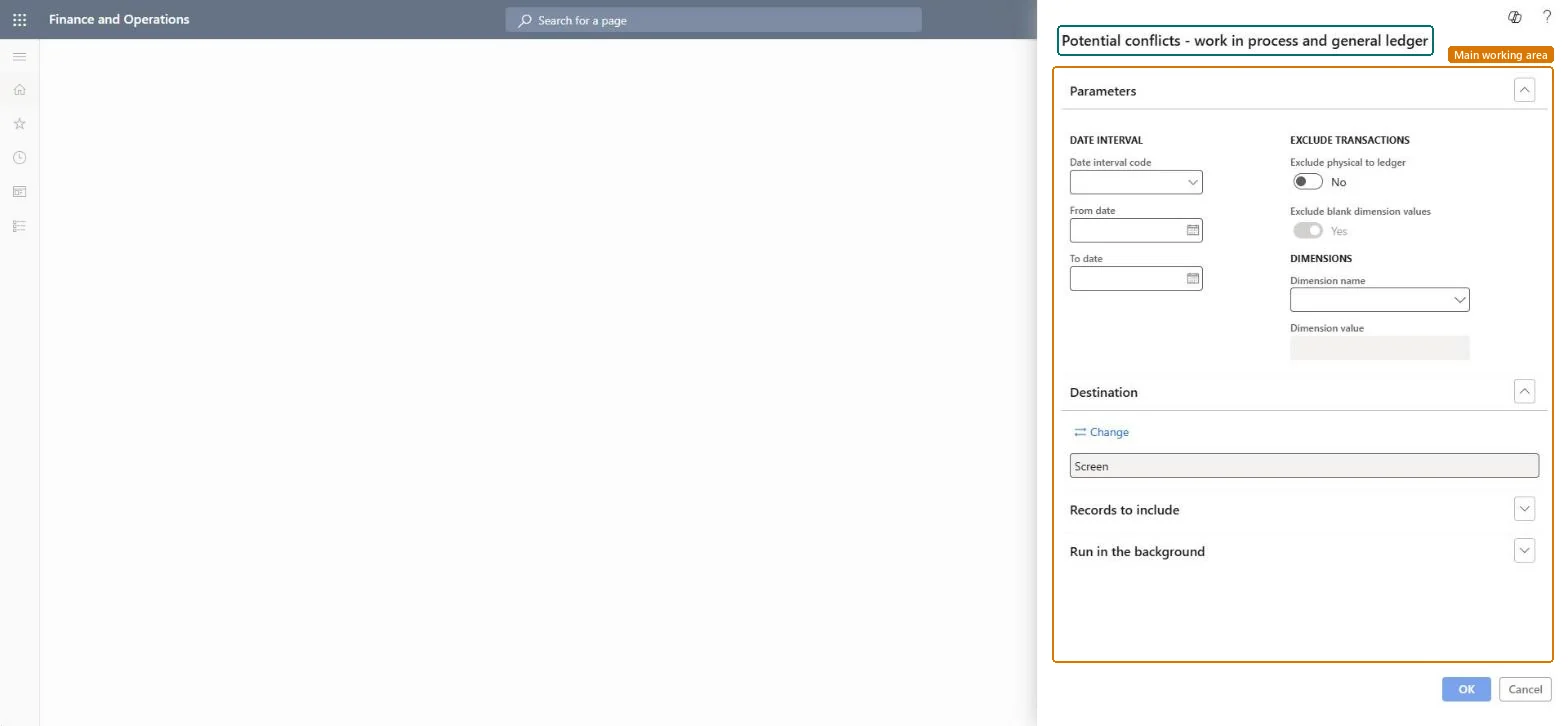
Potential conflicts - work in process and general ledger
Cost managementInquiries and reportsManufacturing accounting - status reports
output:ProdWIPLedgerConflict
Business process
Print inventory costing reports in Dynamics 365 Finance
Menu item
output:ProdWIPLedgerConflict
Show what matters for
PAGE GUIDEWhat the page does and how to use it7 sections. Choose a role to highlight what matters to you.
Everyone
1What it is and why
What it is
A report that lists potential conflicts between work in process and the general ledger for a date interval.
What you do here
Use this report to look for potential conflicts between work in process and the general ledger, and to narrow the result by date, dimension name and value.
The page in Dynamics 365. page title tab to open what to set or check
Cost management › Inquiries and reports › Manufacturing accounting - status reports › Potential conflicts - work in process and general ledger
End user · Functional consultant
3How to do it
About the examples: Examples and screenshots in this guide use BEAT, a demo company in a Dynamics 365 test environment. Use your own company's codes and values instead of copying them.
When to run it
When to run it
At period end, when the WIP ledger account differs from the WIP value of production orders.
How often
On demand during month-end WIP reconciliation.
What the output shows
Production transactions where the work in process value and the general ledger differ for the period. Unlike the inventory version of this report it looks at WIP, so differences often come from manual postings to WIP accounts or orders posted with other ledger settings.
Nothing to undo: The report only compares WIP and ledger data; it changes nothing. Microsoft Learn
Technical architect
5Technical
Menu item
output:ProdWIPLedgerConflictChecked in Dynamics 365
Form
SysOperationTemplateFormChecked in Dynamics 365
Roles to set it up and use it
To use itInventory accountant InventCostAccountantInventory accountant clerk InventCostCostClerkAccounting manager LedgerAccountingManagerChief executive officer CompanyChiefExecutiveOfficerAccounting supervisor LedgerAccountingSupervisorGive people one of these roles. On this system, 9 roles can run this page.Checked in Dynamics 365