About the examples: Examples and screenshots in this guide use BEAT, a demo company in a Dynamics 365 test environment. Use your own company's codes and values instead of copying them.
When to run it
When to run it
After new standard costs for manufactured items are calculated and activated, to analyze the resulting revaluation variances.
How often
On demand after each standard cost activation for manufactured items, and at period end.
What the output shows
Revaluation and other variances for the standard cost items and period you select, split by cost group type. For manufactured items a large variance in one cost group often traces back to a changed BOM, route or overhead rate in the new costing version.
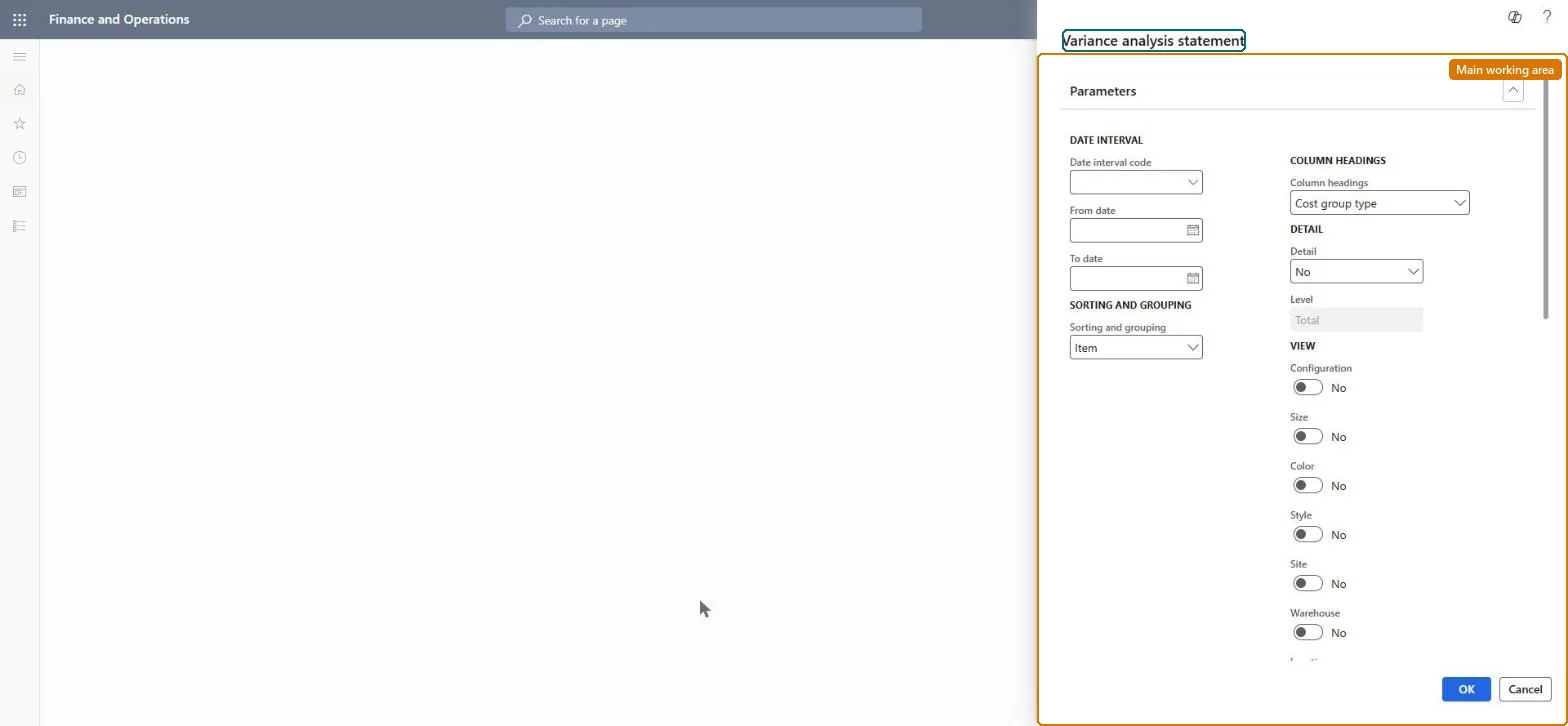
Go to Cost management > Inquiries and reports > Manufacturing accounting - analysis reports > Variance analysis statement.
This opens the same statement as the inventory accounting menu; use this entry when you review manufactured standard cost items. In the Date interval section, select a Date interval code or enter a From date and To date.
In Sorting and grouping, select how the statement is sorted and grouped, such as Item, so each manufactured item shows its own variance lines.
In Column headings, keep Cost group type to see material, labor and overhead separately, and in Detail choose whether detail lines are shown.
Under View, turn on Configuration, Size, Color, Style, Site or Warehouse as needed, and look for manufactured items whose revaluation variance stands out after a cost roll-up.
Nothing to undo: The statement only reads variance transactions; it changes nothing. Microsoft Learn
Technical architect
5Technical
Menu item
output:InventCostVariancesChecked in Dynamics 365
Form
SysOperationTemplateFormChecked in Dynamics 365
Roles to set it up and use it
To use itInventory accountant InventCostAccountantInventory accountant clerk InventCostCostClerkAccounting manager LedgerAccountingManagerGive people one of these roles. On this system, 3 roles can run this page.Checked in Dynamics 365