Cost management › Inquiries and reports › Manufacturing accounting - analysis reports › Lean production variances
End user · Functional consultant
3How to do it
About the examples: Examples and screenshots in this guide use BEAT, a demo company in a Dynamics 365 test environment. Use your own company's codes and values instead of copying them.
When to run it
When to run it
After backflush costing has run for the period's end date.
How often
Monthly, after each backflush costing run.
What the output shows
Production variances to standard cost for the flow as of the date, per cost group and, at a detailed level, per item. Unlike Lean production flow cost transactions it shows only the variances, not the WIP movements; a large material variance often means unused quantities were not counted correctly.
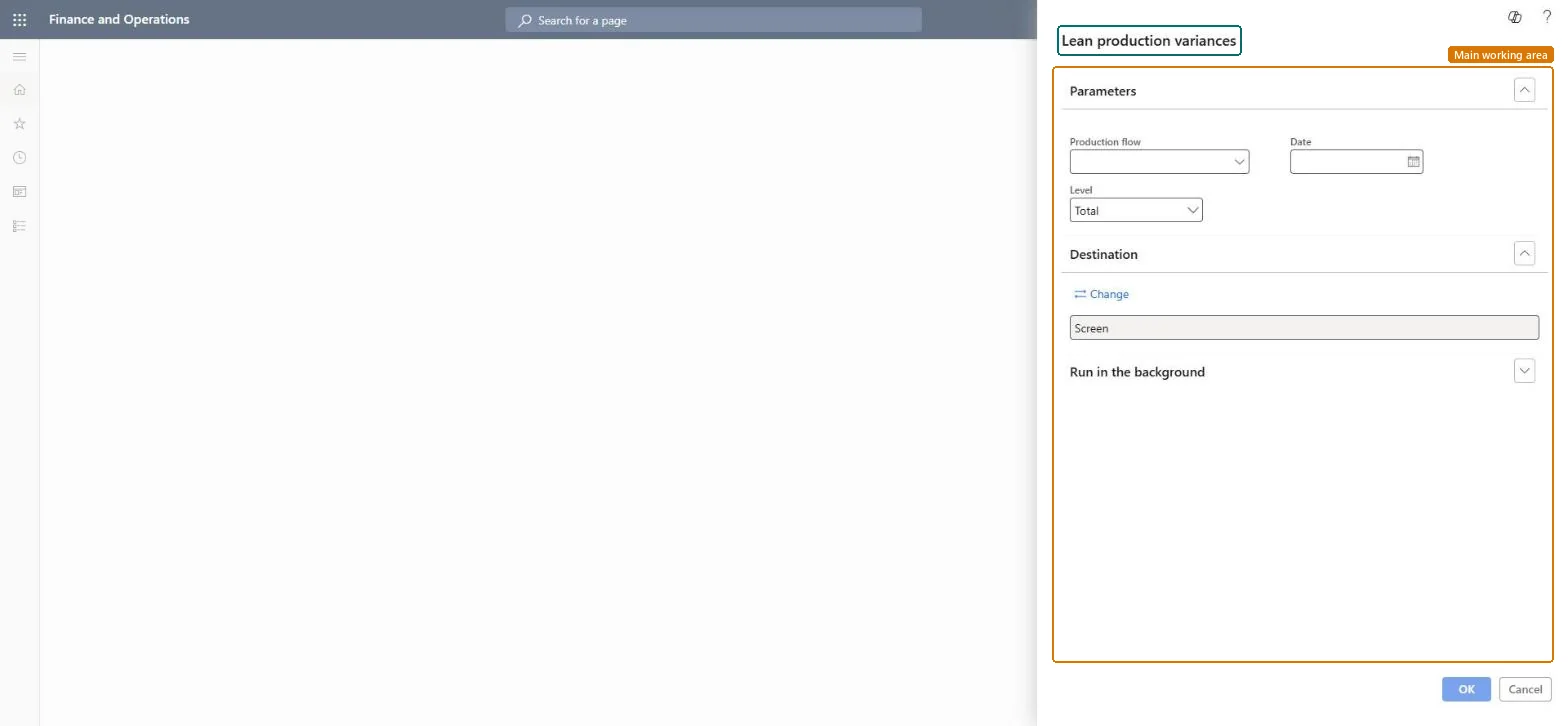
Go to Cost management > Inquiries and reports > Manufacturing accounting - analysis reports > Lean production variances.
In Production flow, select the lean production flow whose variances you want to see.
In Date, enter the end date of the backflush costing period you ran.
In Level, choose Total for one figure per cost group, or a more detailed level to see variances per item.
Compare the variances per cost group (direct material, direct manufacturing, indirect, direct outsourcing) with what you expect from the period's activity.
Nothing to undo: The report only reads backflush costing results; it changes nothing. Microsoft Learn
Technical architect
5Technical
Menu item
output:LeanProductionFlowVariancesChecked in Dynamics 365
Form
SysOperationTemplateFormChecked in Dynamics 365
Roles to set it up and use it
To use itInventory accountant InventCostAccountantInventory accountant clerk InventCostCostClerkAccounting manager LedgerAccountingManagerGive people one of these roles. On this system, 3 roles can run this page.Checked in Dynamics 365