Maintenance clerk, Maintenance manager, Field Service Integration User and 13 more roles
Business process
Print inventory costing reports in Dynamics 365 Finance
Menu item
InventAgingStorage
Main table
InventAgingStorage
Show what matters for
PAGE GUIDEWhat the page does and how to use it7 sections. Choose a role to highlight what matters to you.
Everyone
1What it is and why
What it is
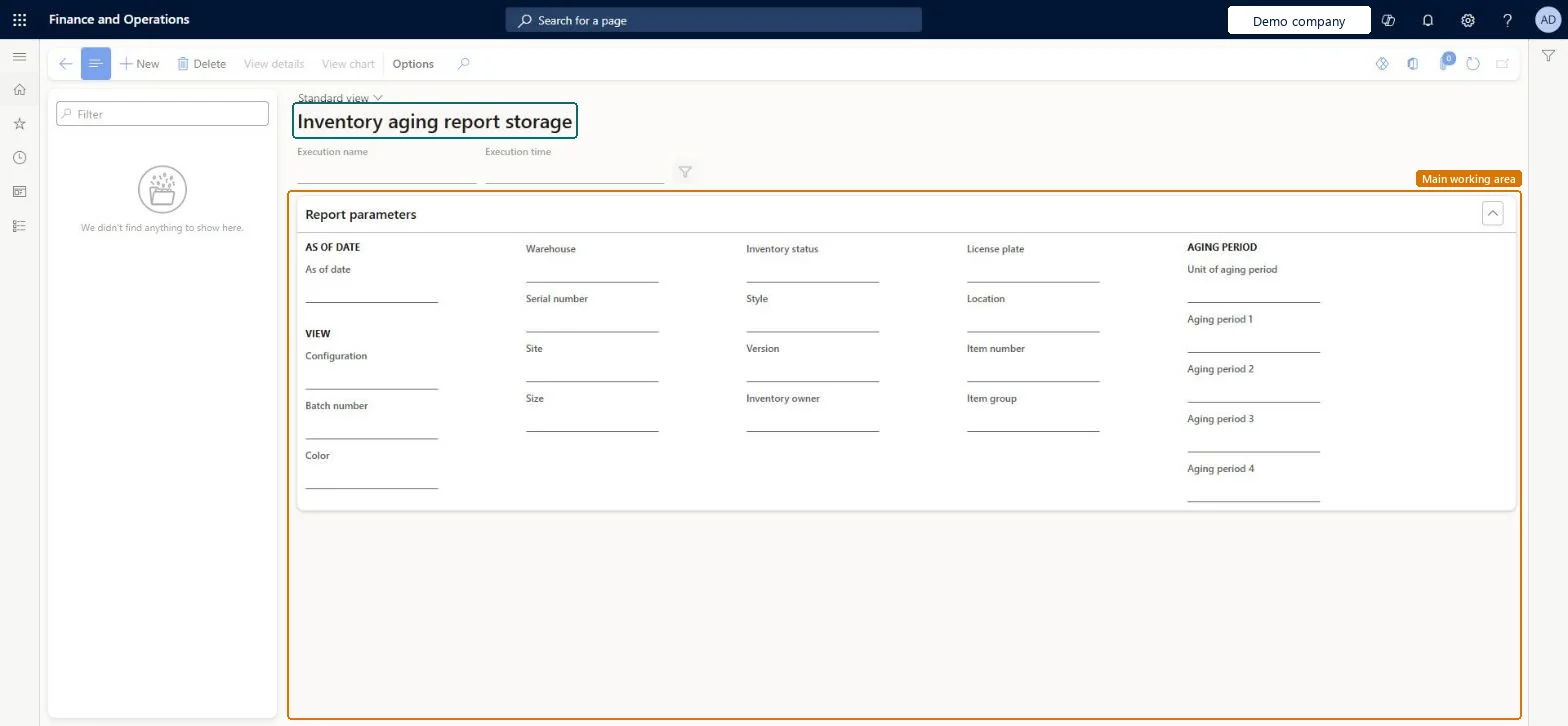
A list page that stores each run of the inventory aging report, so that you can view the results as a form or a chart and export them.
What you do here
Use this page to generate, store and review inventory aging reports, which break down on-hand inventory into up to four aging periods as of a date that you choose.
Example
For example, the stored report suits companies with many lines of output, such as 50,000 items and 300 stores set up as warehouses, when aging is requested by item, site and warehouse.
The page in Dynamics 365. page title tab to open what to set or check
About the examples: Examples and screenshots in this guide use BEAT, a demo company in a Dynamics 365 test environment. Use your own company's codes and values instead of copying them.
Steps from Microsoft
Go to Cost management > Inquiries and reports > Inventory aging report storage.
Select New to open the Inventory aging dialog.
On the Parameters FastTab, enter a unique Name, set the As of date, choose which fields to include under View, and set the Unit of aging period and up to four aging periods.
To limit the records in the report, expand the Records to include FastTab and add the filters you require.
On the Run in the background FastTab, set the batch, scheduling and recurrence options.
Select OK to run or schedule the report.
When the batch job has completed, select the report in the list pane and select View details or View chart on the Action Pane.
The date that the values of the report are based on. When it is left blank, the report uses the date on which it runs, which suits a repeating schedule.Microsoft Learn
AsOnDate
Unit of aging period
How the aging periods are defined: as a number of days before the As of date, as specific calendar dates, or as predefined date intervals.Microsoft Learn
AgingPeriodUnit
Aging period 1 to Aging period 4
Up to four aging periods, entered in the unit selected in the Unit of aging period field.Microsoft Learn
InventAgingStorageShown as “INVENTAGINGSTORAGE” in Record infoChecked in Dynamics 365
Who can open it
PrivilegesGenerate inventory aging report InventAgingGenerateDutiesInquire into inventory status InventStatusInquire16 security rolesMaintenance clerk EntAssetMaintenanceClerkMaintenance manager EntAssetMaintenanceManagerField Service Integration User FieldServiceIntegrationUserInventory accountant InventCostAccountantInventory accountant clerk InventCostCostClerkMaterials manager InventMaterialsManagerQuality control manager InventQualityControlManagerAccounting manager LedgerAccountingManagerProduction manager ProdProductionManagerProduction supervisor ProdProductionSupervisorProject assistant ProjProjectClerkProject manager ProjProjectManagerRetail service RetailServiceRetail store manager RetailStoreManagerService delivery manager SMAServiceDeliveryManagerWarehouse manager WMSWarehouseManagerChecked in Dynamics 365
Roles to set it up and use it
To set it up or change itAccounting manager LedgerAccountingManagerInventory accountant InventCostAccountantInventory accountant clerk InventCostCostClerkProduction supervisor ProdProductionSupervisorProject manager ProjProjectManagerGive people one of these roles. On this system, 16 roles can open this page.Checked in Dynamics 365
Actions on the page
(Action Pane without tabs): View details, View chartChecked in Dynamics 365