BeyondERP.Newsletter
Menu

Report page · Cost management

Inventory value in export format

A report that shows inventory value for a selected report ID and date interval, in a format for export.

Business process
Print inventory costing reports in Dynamics 365 Finance
Menu item
output:InventValueExport
Show what matters for
PAGE GUIDEWhat the page does and how to use it7 sections. Choose a role to highlight what matters to you.
Everyone

1What it is and why

What it isA report that shows inventory value for a selected report ID and date interval, in a format for export.
What you do hereUse this report to produce inventory value figures for an ID and a date range that you choose.
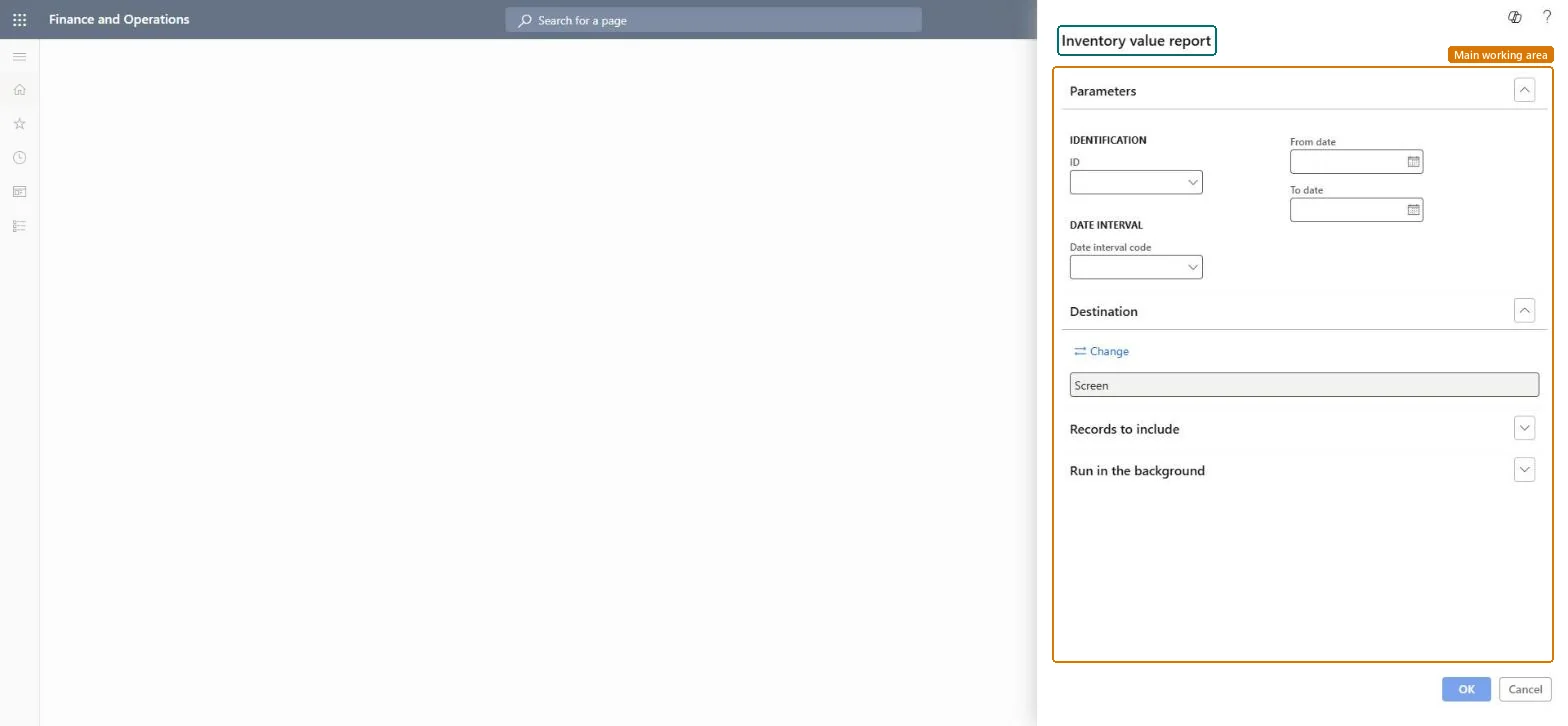
Inventory value in export format page in Dynamics 365
The page in Dynamics 365. page title tab to open what to set or check
Functional consultant · Solution architect

2Where it fits

Business processAnalyze financial performance › Analyze costs › Print inventory costing reports in Dynamics 365 Finance
Menu pathCost management › Inquiries and reports › Inventory accounting - status reports › Inventory value in export format
End user · Functional consultant

3How to do it

About the examples: Examples and screenshots in this guide use BEAT, a demo company in a Dynamics 365 test environment. Use your own company's codes and values instead of copying them.

When to run it

When to run itAt period end, when inventory value figures must be handed to another system or analysed in a spreadsheet.
How oftenMonthly, or on demand when an export is requested.
What the output showsThe same inventory value figures as the Inventory value report for the chosen ID and dates, laid out flat for export. A difference from the on-screen Inventory value report usually means a different ID or date interval was used.

Source: Microsoft Learn

Steps from Microsoft

  1. Go to Cost management > Inquiries and reports > Inventory accounting - status reports > Inventory value in export format.
  2. Under Identification, select the ID of the inventory value report configuration whose columns you want in the export.
  3. Select a Date interval code, or enter the From date and To date of the period to export.
  4. Under Destination, select Change and choose a file format instead of Screen when the figures should go to Excel or another system.
  5. Open the file and check that the totals per item match the standard Inventory value report for the same ID and dates.

Source: Microsoft Learn

Solution architect

4Design impact

Can it be undoneNothing to undo: The export only reads inventory data; it changes nothing in the system. Microsoft Learn
Technical architect

5Technical

Menu itemoutput:InventValueExport Checked in Dynamics 365
FormSysOperationTemplateForm Checked in Dynamics 365
Roles to set it up and use itTo use itInventory accountant InventCostAccountantInventory accountant clerk InventCostCostClerkAccounting manager LedgerAccountingManagerGive people one of these roles. On this system, 3 roles can run this page.Checked in Dynamics 365
Developer

6Developer

Open it by URLhttps://<your-environment>/?mi=output:InventValueExport
Everyone

7Sources