Cost managementInquiries and reportsInventory accounting - inquiries
CostInventTransVoucher
Business process
Inquire on inventory costs in Dynamics 365 Finance
Menu item
CostInventTransVoucher
Show what matters for
PAGE GUIDEWhat the page does and how to use it6 sections. Choose a role to highlight what matters to you.
Everyone
1What it is and why
What it is
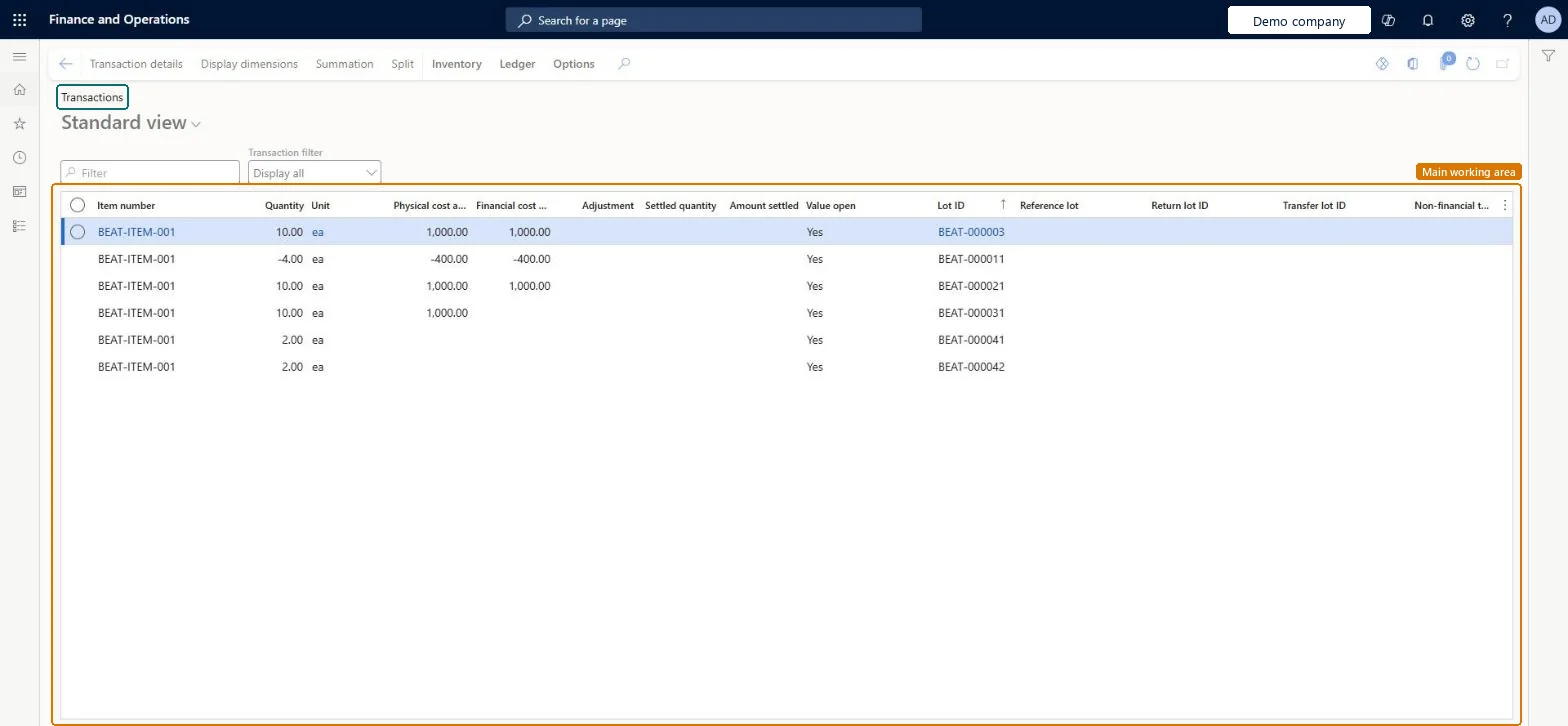
An inquiry page that shows inventory transactions with their quantities, physical and financial cost amounts, adjustments and settlement status.
What you do here
Use this page to review the cost amounts, adjustments and settlements of inventory transactions, and to open transaction details, dimensions and ledger information.
The page in Dynamics 365. page title tab to open what to set or check
About the examples: Examples and screenshots in this guide use BEAT, a demo company in a Dynamics 365 test environment. Use your own company's codes and values instead of copying them.
How to use it
Go to Cost management > Inquiries and reports > Inventory accounting - inquiries > Transactions.
Use the Transaction filter field and the Filter box to narrow the list.
Review the Quantity, Physical cost amount, Financial cost amount, Adjustment, Settled quantity, Amount settled and Value open columns.
Select a transaction and select Transaction details, Display dimensions, Summation or Split on the Action Pane.
Use the Inventory and Ledger tabs on the Action Pane to open related inventory and ledger information.
Source: Checked in Dynamics 365
Technical architect
4Technical
Menu item
CostInventTransVoucherChecked in Dynamics 365
Form
InventTransItemChecked in Dynamics 365
Roles to set it up and use it
To use itInventory accountant InventCostAccountantInventory accountant clerk InventCostCostClerkAccounting manager LedgerAccountingManagerChief executive officer CompanyChiefExecutiveOfficerAccounting supervisor LedgerAccountingSupervisorGive people one of these roles. On this system, 15 roles can open this page.Checked in Dynamics 365
Actions on the page
Inventory: Vouchers, Costing, View, Tracing, BatchesLedger: Vouchers(Action Pane without tabs): Transaction details, Display dimensions, Summation, SplitChecked in Dynamics 365