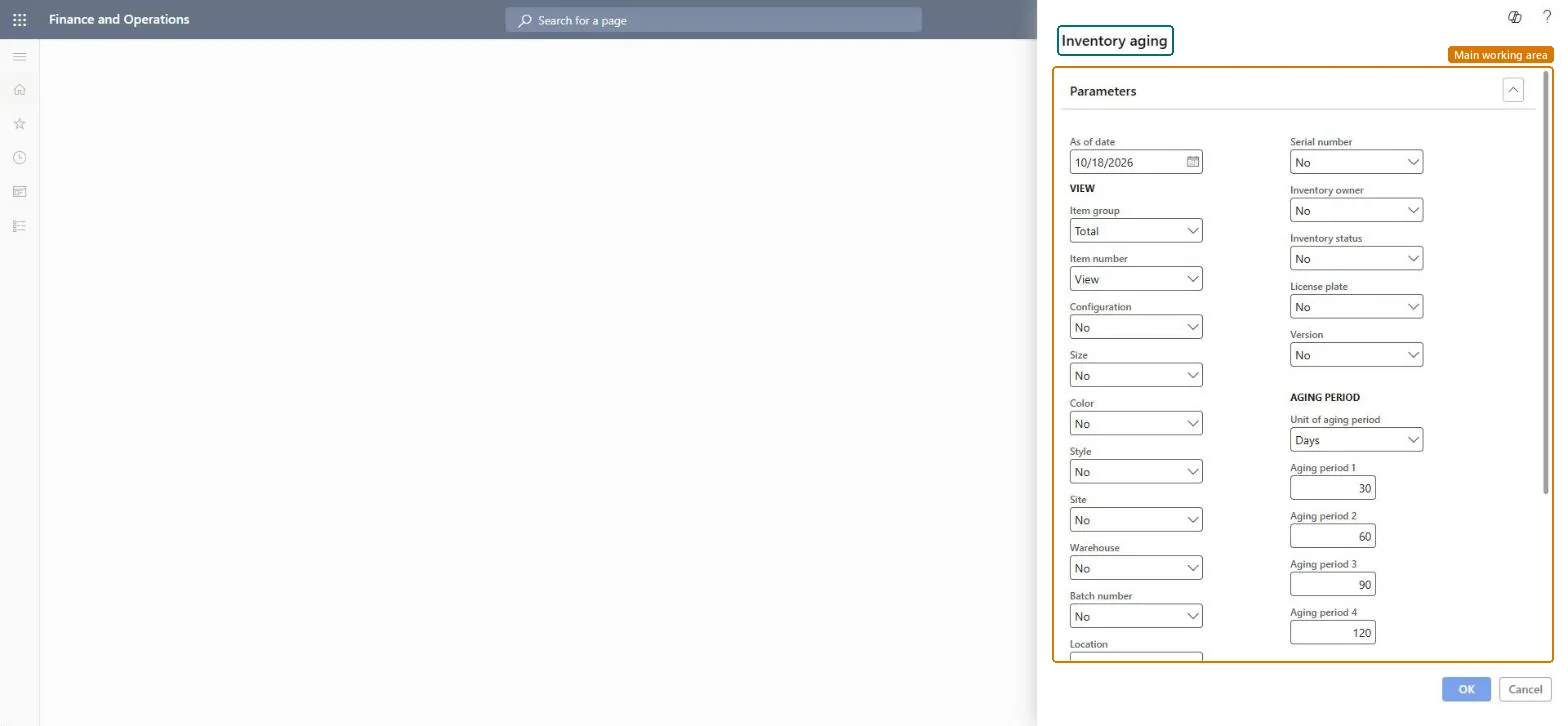
About the examples: Examples and screenshots in this guide use BEAT, a demo company in a Dynamics 365 test environment. Use your own company's codes and values instead of copying them.
When to run it
When to run it
At period end after inventory closing, when you review slow-moving stock or obsolescence provisions.
How often
Monthly or quarterly, at period end.
What the output shows
On-hand quantity and value per item and dimension, split into the aging buckets, with inventory value and average unit cost. Values per warehouse reuse the site's average cost when warehouse isn't a financial dimension; for many items use Inventory aging report storage instead.
Nothing to undo: The report only reads transactions; it changes nothing. Microsoft Learn
If you change it later
Run the report after inventory closing to get final values; closing updates the inventory value and average unit cost shown. Microsoft Learn
Technical architect
5Technical
Menu item
output:InventAgingChecked in Dynamics 365
Form
SysOperationTemplateFormChecked in Dynamics 365
Roles to set it up and use it
To use itInventory accountant InventCostAccountantInventory accountant clerk InventCostCostClerkAccounting manager LedgerAccountingManagerProduction manager ProdProductionManagerProduction supervisor ProdProductionSupervisorGive people one of these roles. On this system, 16 roles can run this page.Checked in Dynamics 365