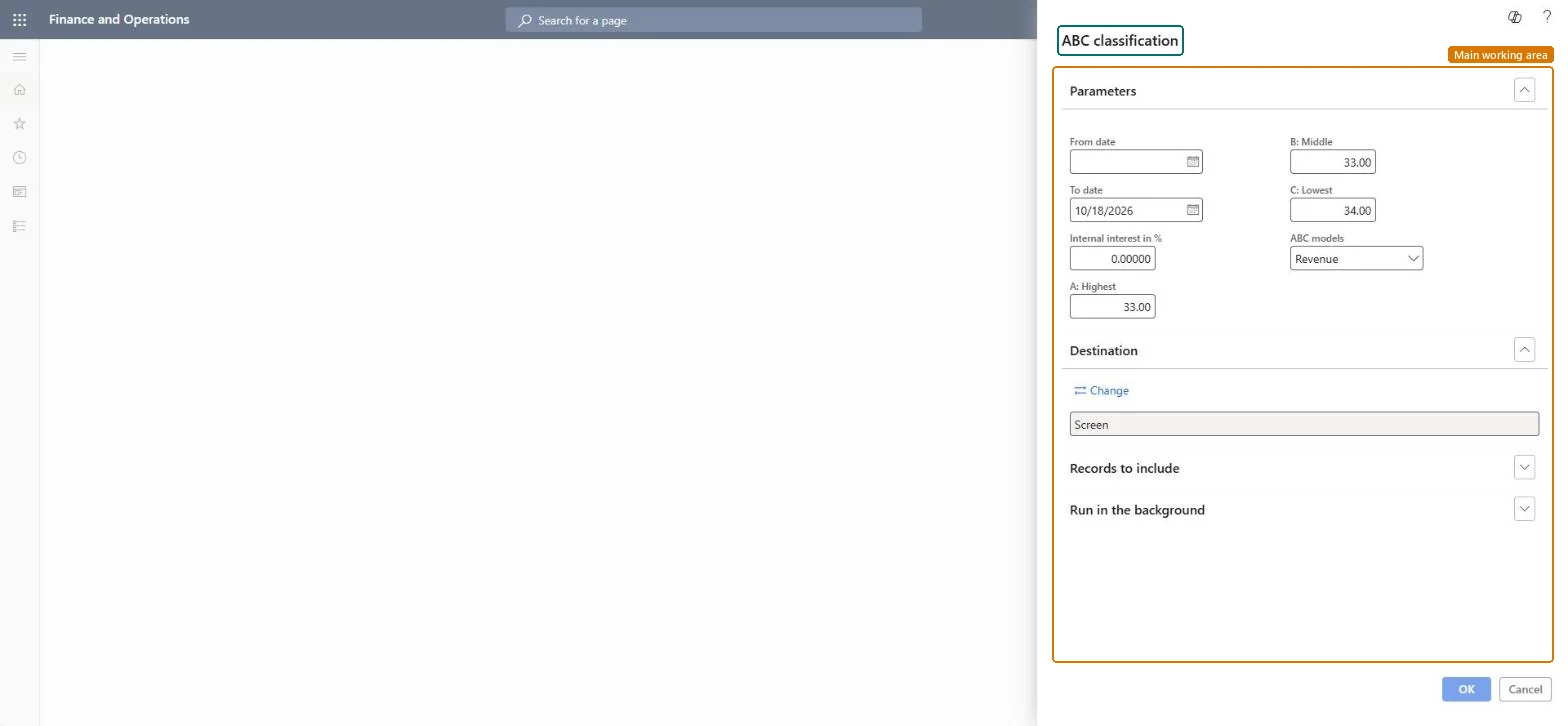
About the examples: Examples and screenshots in this guide use BEAT, a demo company in a Dynamics 365 test environment. Use your own company's codes and values instead of copying them.
When to run it
When to run it
Before reviewing inventory policies, coverage or counting frequency per item class, typically after a full year or season of sales.
How often
On demand, for example once a year or when the product range changes.
What the output shows
Items ranked by the selected ABC model for the period and split into classes A, B and C according to the percentages. Too many items in class A usually means the A percentage is set high or the period is too short.
Nothing to undo: The report only reads transactions for the period; it changes nothing. Microsoft Learn
Technical architect
5Technical
Menu item
output:InventABCChecked in Dynamics 365
Form
SysOperationTemplateFormChecked in Dynamics 365
Roles to set it up and use it
To use itInventory accountant InventCostAccountantInventory accountant clerk InventCostCostClerkAccounting manager LedgerAccountingManagerProduction manager ProdProductionManagerProduction supervisor ProdProductionSupervisorGive people one of these roles. On this system, 18 roles can run this page.Checked in Dynamics 365