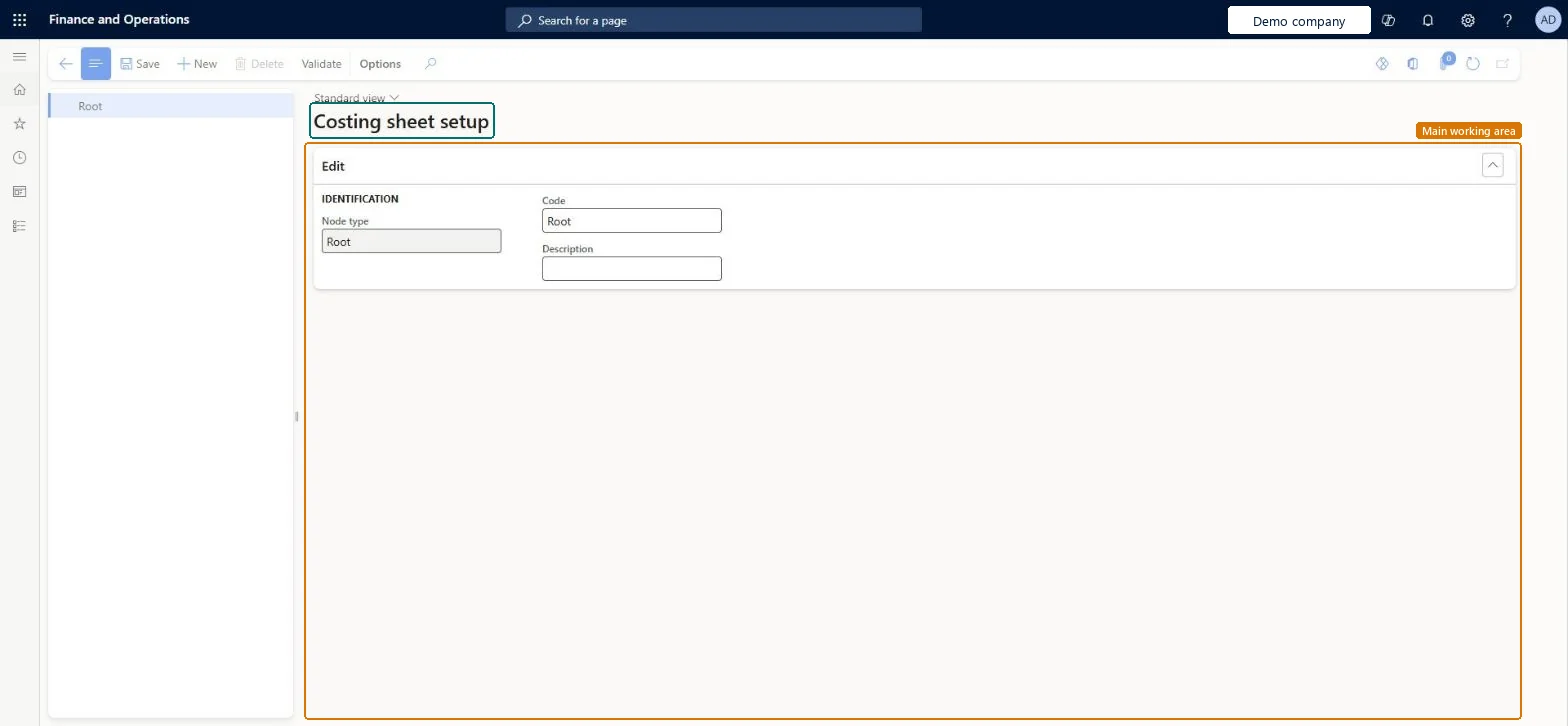
A setup page where you build the costing sheet, a tree of nodes that sets the format for showing the cost of goods sold for a manufactured item or production order and the basis for calculating indirect costs.
PAGE GUIDEWhat the page does and how to use it8 sections. Choose a role to highlight what matters to you.
Everyone
1What it is and why
What it is
A setup page where you build the costing sheet, a tree of nodes that sets the format for showing the cost of goods sold for a manufactured item or production order and the basis for calculating indirect costs.
What you do here
Use this page to define how cost of goods sold is segmented by cost group, with totals for material, labour and overhead, and to set up the surcharges and rates that calculate indirect costs.
Example
For example, you can add a 3 percent surcharge to the cost of production for all the raw materials on a production order.
The page in Dynamics 365. page title tab to open what to set or check
About the examples: Examples and screenshots in this guide use BEAT, a demo company in a Dynamics 365 test environment. Use your own company's codes and values instead of copying them.
Setup steps on this page
Set up Costing sheets
Use this page to define how cost of goods sold is segmented by cost group, with totals for material, labour and overhead, and to set up the surcharges and rates that calculate indirect costs.
Steps from Microsoft
Go to Cost management > Indirect cost accounting policies setup > Costing sheets.
In the tree, select a node that represents the cost of goods that you manufactured.
Select New to create a node.
In the Select node type field, select Total.
In the Code field, enter a unique ID for the node, such as Production Overheads.
Select the Header checkbox and the Total checkbox.
One costing sheet for the legal entity, with Total nodes such as Materials and Hours over the cost groups, and Surcharge or Rate nodes for overheadLearn allows only one costing sheet per legal entity and suggests Total nodes to split production costs into groups such as hours and materials; indirect costs need a costing sheet format.
Editing the costing sheet expecting to roll back later. There is no version history and no way to go back to an older version; changes take effect when you save and validate.Test: Overhead surcharge flows into item cost
Hard to reverse: The costing sheet can be edited and revalidated, but the system keeps no version history. Closing the page without saving discards unsaved changes; after you save and validate, the previous structure must be rebuilt manually. Microsoft Learn
Technical architect
6Technical
Menu item
CostSheetDesignerChecked in Dynamics 365
Form
CostSheetDesignerChecked in Dynamics 365
Table
CostSheetNodeTableShown as “COSTING SHEET NODE” in Record infoChecked in Dynamics 365
PrivilegesMaintain cost version per indirect cost type CostSheetCalculationFactorMaintainMaintain costing sheet setup CostSheetDesignerMaintainView costing sheet setup CostSheetDesignerViewDutiesMaintain cost master CostingVersionCostMasterMaintainEnable cost process InventCostCostProcessEnableInquire into cost status InventCostCostStatusInquireInquire into cost master InventItemPriceCostMasterInquire3 security rolesInventory accountant InventCostAccountantInventory accountant clerk InventCostCostClerkAccounting manager LedgerAccountingManagerChecked in Dynamics 365
Roles to set it up and use it
To set it up or change itAccounting manager LedgerAccountingManagerInventory accountant clerk InventCostCostClerkTo use itInventory accountant InventCostAccountantGive people one of these roles. On this system, 3 roles can open this page.Checked in Dynamics 365
Actions on the page
(Action Pane without tabs): New, Delete, ValidateChecked in Dynamics 365
CostSheetNodeEntity (Costing sheet nodes and absorption basis): loaded for each company, in Microsoft's default template 420 - Costing.Load order: Microsoft's default template 420 - Costing loads Costing sheet nodes and absorption basis at execution unit 1, level 420, sequence 10. Lower levels load first, and entities at the same level load in sequence order.Load first: the default templates at lower levels (System setup to Process manufacturing)Microsoft Learn