BeyondERP.Newsletter
Menu

Setup page · Asset management

Maintenance job type variants

A setup page for maintenance job type variants, which define variations of a job type such as sizes, periods, and configurations.

Used by
Maintenance clerk, Maintenance manager, Maintenance requester and 1 more role
Business process
Develop maintenance strategy
Menu item
EntAssetJobVariant
Main table
EntAssetJobVariant
Data entity
EntAssetMaintenanceJobVariantEntity
Setup steps
1 on this page
Show what matters for
PAGE GUIDEWhat the page does and how to use it8 sections. Choose a role to highlight what matters to you.
Everyone

1What it is and why

What it isA setup page for maintenance job type variants, which define variations of a job type such as sizes, periods, and configurations.
What you do hereUse this page to create job type variants and link each one to the maintenance job types it applies to.
ExampleFor example, you create Small, Medium, and Large variants of a service job type, or Weekly and Monthly variants of an inspection.
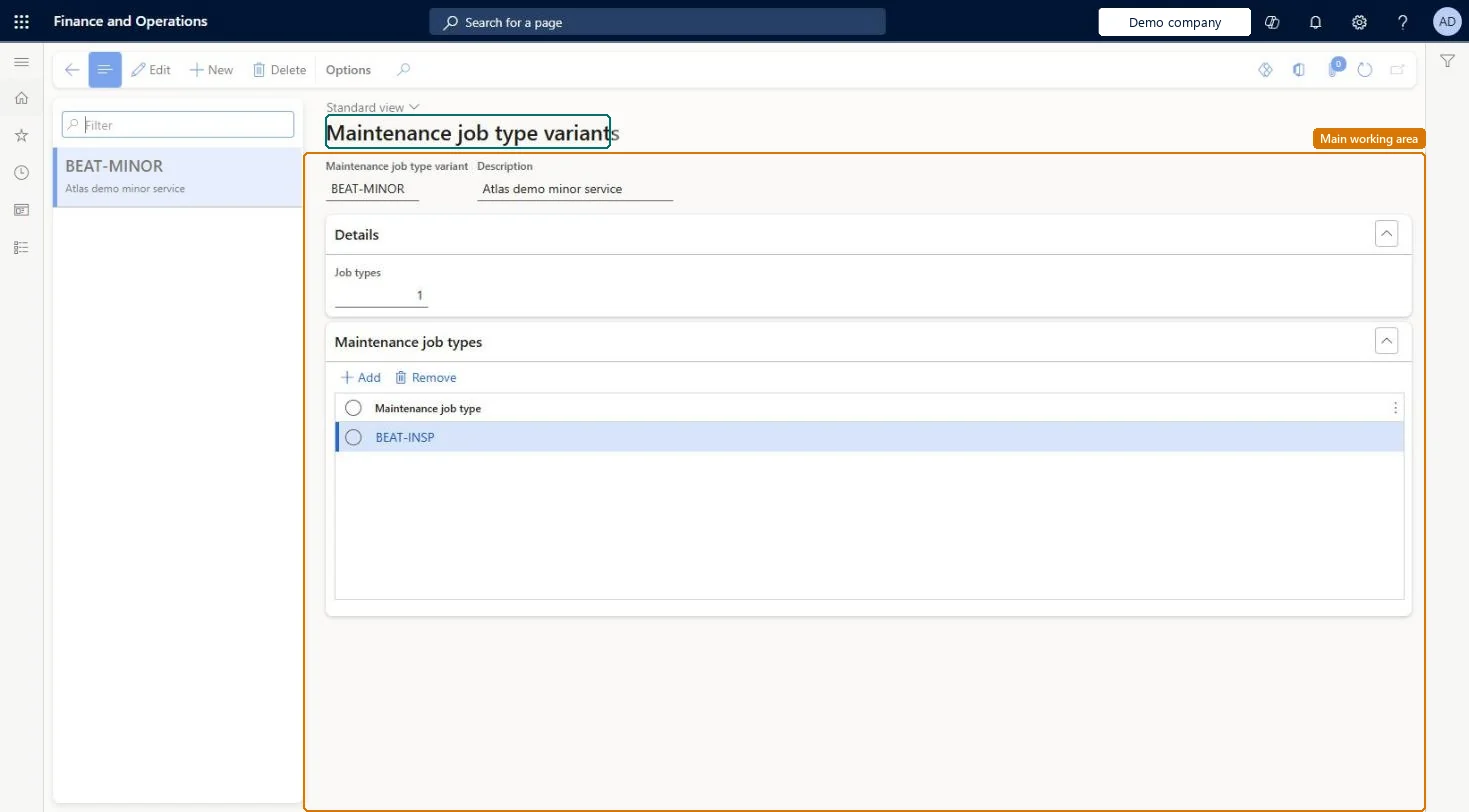
Maintenance job type variants page in Dynamics 365
The page in Dynamics 365. page title tab to open what to set or check
Functional consultant · Solution architect

2Where it fits

End user · Functional consultant

3How to do it

About the examples: Examples and screenshots in this guide use BEAT, a demo company in a Dynamics 365 test environment. Use your own company's codes and values instead of copying them.

Setup steps on this page

Set up Maintenance job type variants

Use this page to create job type variants and link each one to the maintenance job types it applies to.

Steps from Microsoft

  1. Go to Asset management > Setup > Jobs > Maintenance job type variants.
  2. Select New.
  3. In the Maintenance job type variant field, enter an ID, and enter a description in the Description field.
  4. On the Maintenance job types FastTab, select Add.
  5. In the Maintenance job type field, select the maintenance job type.
  6. Repeat to add more maintenance job types.

Source: Microsoft Learn

Fields on the page

FieldWhat it meansTable column
Maintenance job type variantThe ID of the variant.Microsoft Learn JobVariantID
DescriptionA description of the variant.Microsoft Learn Description
Job typesShows how many maintenance job types are linked to the variant.Microsoft Learn

Test checklist

  1. Create a variant and add a maintenance job type on its Maintenance job types FastTab.
  2. Create a maintenance job type default line with that job type and variant.
  3. Create a work order line with the job type and variant and check the variant-specific default is used.

Source: Microsoft Learn

Functional consultant

4Setup decisions

Setup stepRecommended value and whyDecision, common mistake and test
Set up Maintenance job type variantsVariants for sizes (small, medium, large), periods (weekly, monthly) or configurations, each linked to the job types it applies toLearn defines variants as variations of a job type by size, period or configuration; selecting a variant on a work order is optional.
Solution architect

5Design impact

Can it be undoneReversible: Variants can be edited and linked to other job types. Job type default lines that use a variant should be checked before removing it, because the variant is part of the default matching. Microsoft Learn
Technical architect

6Technical

Menu itemEntAssetJobVariant Checked in Dynamics 365
FormEntAssetJobVariant Checked in Dynamics 365
TableEntAssetJobVariantShown as “MAINTENANCE JOB TYPE VARIANTS” in Record infoKey field: JobVariantIDChecked in Dynamics 365
Data entitiesEntAssetMaintenanceJobVariantEntityAsset management variants Checked in Dynamics 365
Who can open itPrivileges EntAssetMobileSetupViewMaintain maintenance management setup EntAssetSetupMaintainView maintenance management setup EntAssetSetupViewDutiesMaintain Asset Management setup EntAssetSetupMaintainView Enterprise Asset Management setup EntAssetSetupView
4 security rolesMaintenance clerk EntAssetMaintenanceClerkMaintenance manager EntAssetMaintenanceManagerMaintenance requester EntAssetMaintenanceRequesterMaintenance worker EntAssetMaintenanceWorker
Checked in Dynamics 365
Roles to set it up and use itTo set it up or change itMaintenance manager EntAssetMaintenanceManagerTo use itMaintenance clerk EntAssetMaintenanceClerkMaintenance worker EntAssetMaintenanceWorkerMaintenance requester EntAssetMaintenanceRequesterGive people one of these roles. On this system, 4 roles can open this page.Checked in Dynamics 365
Developer

7Developer

Open it by URLhttps://<your-environment>/?mi=EntAssetJobVariant
Integrate withEntAssetMaintenanceJobVariantEntity data entity Checked in Dynamics 365
Everyone

8Sources