PAGE GUIDEWhat the page does and how to use it8 sections. Choose a role to highlight what matters to you.
Everyone
1What it is and why
What it is
A setup page where you create warranty agreements with terms that can be connected to an asset or an asset type.
What you do here
Use this page to create vendor warranty agreements with lines that set the warranty period and coverage percentage for work hours, expenses, and items.
Example
For example, when you create a work order for an asset under a vendor warranty with an expected start date in the warranty period, you receive a notification about the warranty agreement.
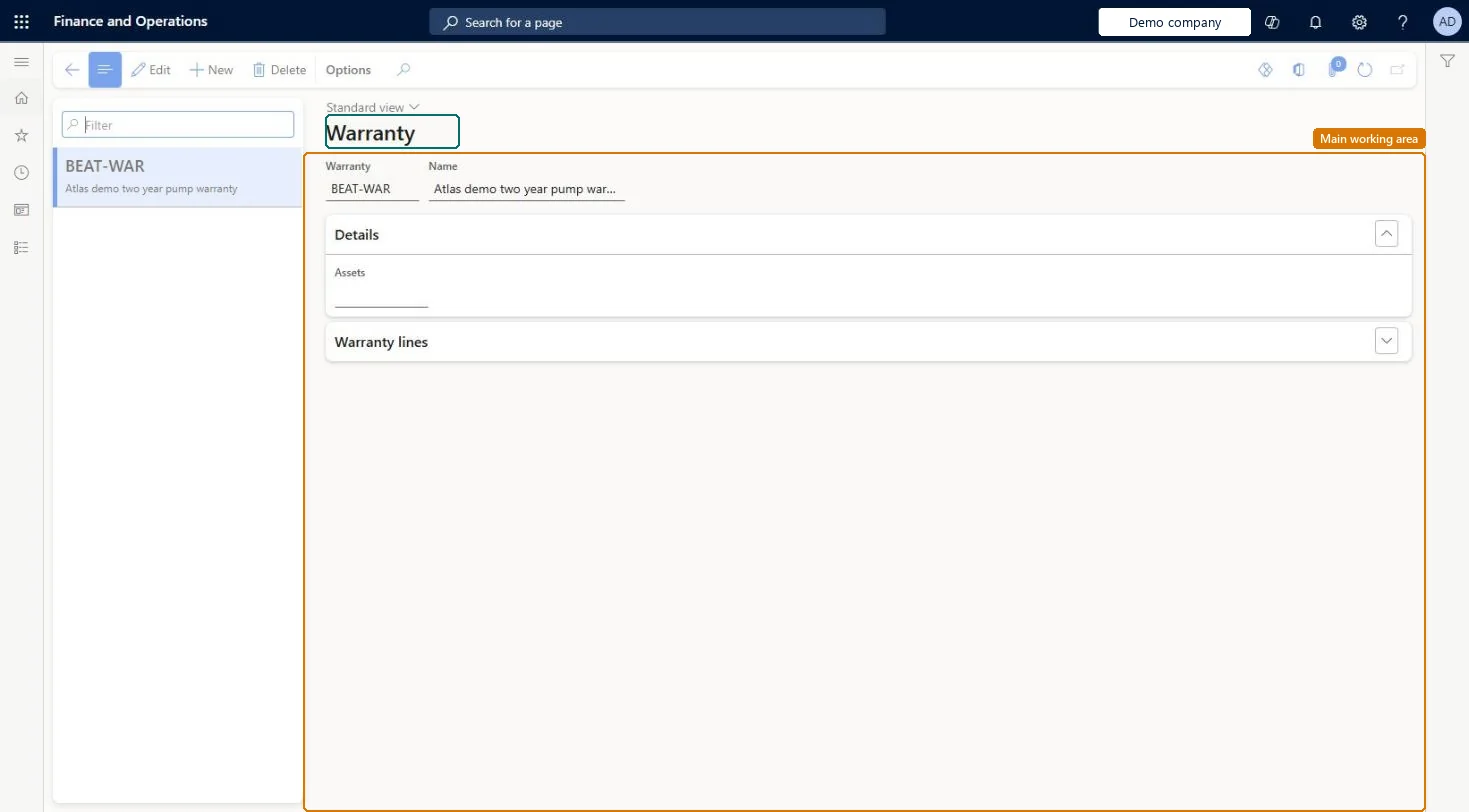
The page in Dynamics 365. page title tab to open what to set or check
About the examples: Examples and screenshots in this guide use BEAT, a demo company in a Dynamics 365 test environment. Use your own company's codes and values instead of copying them.
Setup steps on this page
Set up Warranty
Use this page to create vendor warranty agreements with lines that set the warranty period and coverage percentage for work hours, expenses, and items.
Steps from Microsoft
Go to Asset management > Setup > Assets > Warranty.
Select New.
In the Warranty field, enter a warranty ID, and in the Name field, enter a description.
On the Warranty lines FastTab, select Add line.
In the Period field, select the type of warranty period.
In the Interval field, enter the number of periods that the warranty is valid for.
In the Percent field, enter the coverage percentage.
One agreement per vendor warranty, with separate lines for work hours, expenses and itemsLearn describes a warranty agreement as several lines that cover hours, expenses and items, each with its own period, interval and coverage percentage.
Expecting warranty to reduce work order costs. Vendor warranty agreements are informational only, and the warranty check is skipped for work orders created automatically.
Solution architect
5Design impact
Can it be undone
Reversible: Warranty agreements are informational only and can be changed any time. The Assets count shows how many active assets use the agreement. Microsoft Learn
Technical architect
6Technical
Menu item
EntAssetWarrantyChecked in Dynamics 365
Form
EntAssetWarrantyChecked in Dynamics 365
Table
EntAssetWarrantyShown as “WARRANTY” in Record infoKey field: WarrantyIDChecked in Dynamics 365
Data entities
EntAssetMaintenanceWarrantyEntityAsset management warranty Checked in Dynamics 365
To set it up or change itMaintenance manager EntAssetMaintenanceManagerTo use itMaintenance clerk EntAssetMaintenanceClerkGive people one of these roles. On this system, 2 roles can open this page.Checked in Dynamics 365
Developer
7Developer
Open it by URL
https://<your-environment>/?mi=EntAssetWarranty
Integrate with
EntAssetMaintenanceWarrantyEntity data entity Checked in Dynamics 365