BeyondERP.Newsletter
Menu

Report page · Asset management

Maintenance request details

A report that shows various information about maintenance requests.

Business process
Create Maintenance request in Dynamics 365 Supply Chain Management
Menu item
output:EntAssetRequestReportDetails
Show what matters for
PAGE GUIDEWhat the page does and how to use it7 sections. Choose a role to highlight what matters to you.
Everyone

1What it is and why

What it isA report that shows various information about maintenance requests.
What you do hereUse this report to print the details of selected maintenance requests, either straight away or as a batch job.
ExampleFor example, a planner prints the details of one maintenance request before deciding whether to create a work order from it.
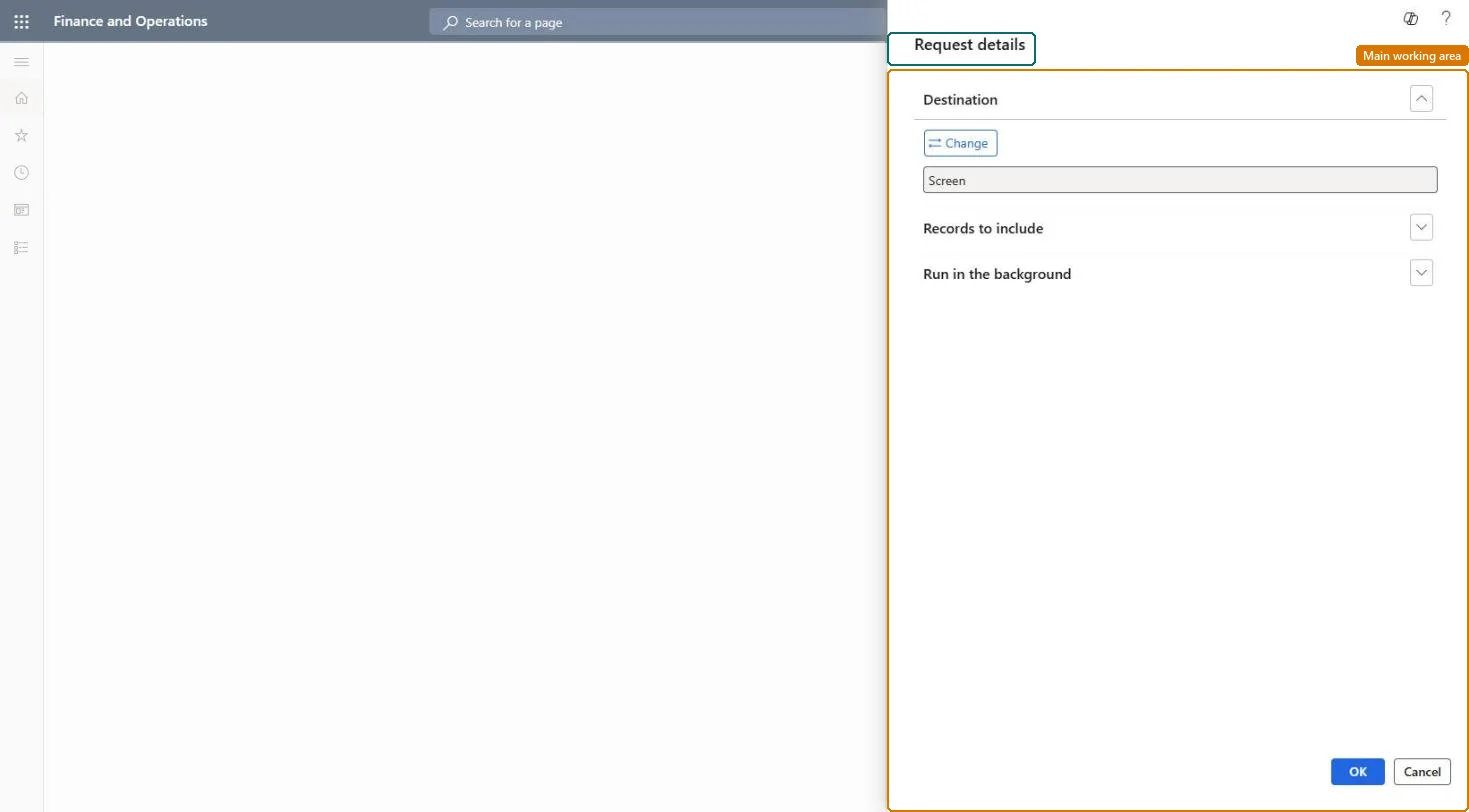
Maintenance request details page in Dynamics 365
The page in Dynamics 365. page title tab to open what to set or check
Functional consultant · Solution architect

2Where it fits

Business processPerform asset maintenance › Forecast maintenance › Create Maintenance request in Dynamics 365 Supply Chain Management
Menu pathAsset management › Reports › Maintenance requests › Maintenance request details
Set up firstAll maintenance requests Microsoft Learn
Related pagesMaintenance request list Microsoft Learn
End user · Functional consultant

3How to do it

About the examples: Examples and screenshots in this guide use BEAT, a demo company in a Dynamics 365 test environment. Use your own company's codes and values instead of copying them.

When to run it

When to run itWhen you need full information about selected maintenance requests, for example before turning one into a work order.
How oftenOn demand, per request or small group of requests.
What the output showsOne detail section per selected maintenance request with its related information. If fields are empty, they weren't filled on the request.

Source: Microsoft Learn

Steps from Microsoft

  1. Go to Asset management > Reports > Maintenance requests > Maintenance request details.
  2. Pick the specific maintenance requests to print under Records to include.
  3. Print the details for each request, for example to hand to the technician or attach to a review.
  4. For an overview of many requests by type, use the Maintenance request list report instead.

Source: Microsoft Learn

Solution architect

4Design impact

Can it be undoneNothing to undo: The report only reads the selected requests; it changes nothing. Microsoft Learn
Technical architect

5Technical

Menu itemoutput:EntAssetRequestReportDetails Checked in Dynamics 365
FormSysOperationTemplateForm Checked in Dynamics 365
Roles to set it up and use itTo use itMaintenance manager EntAssetMaintenanceManagerMaintenance clerk EntAssetMaintenanceClerkMaintenance worker EntAssetMaintenanceWorkerMaintenance requester EntAssetMaintenanceRequesterGive people one of these roles. On this system, 4 roles can run this page.Checked in Dynamics 365
Developer

6Developer

Open it by URLhttps://<your-environment>/?mi=output:EntAssetRequestReportDetails
Everyone

7Sources