BeyondERP.Newsletter
Menu

Page · Asset leasing

Closed books

A list of lease books that have been closed, so no more entries can be posted or adjusted.

Used by
Lease accountant, Lease manager, Accountant and 1 more role
Business process
Maintain asset leases
Menu item
AssetLeaseCloseLeasesListPage
Main table
AssetLeaseLeaseDetails
Data entity
AssetLeaseLeaseBookEntity
Setup steps
1 on this page
Show what matters for
PAGE GUIDEWhat the page does and how to use it8 sections. Choose a role to highlight what matters to you.
Everyone

1What it is and why

What it isA list of lease books that have been closed, so no more entries can be posted or adjusted.
What you do hereUse this page to review lease books that have ended or were closed, for example after an impairment or termination.
ExampleFor example, an accountant checks a closed lease book to confirm its final balances before the audit.
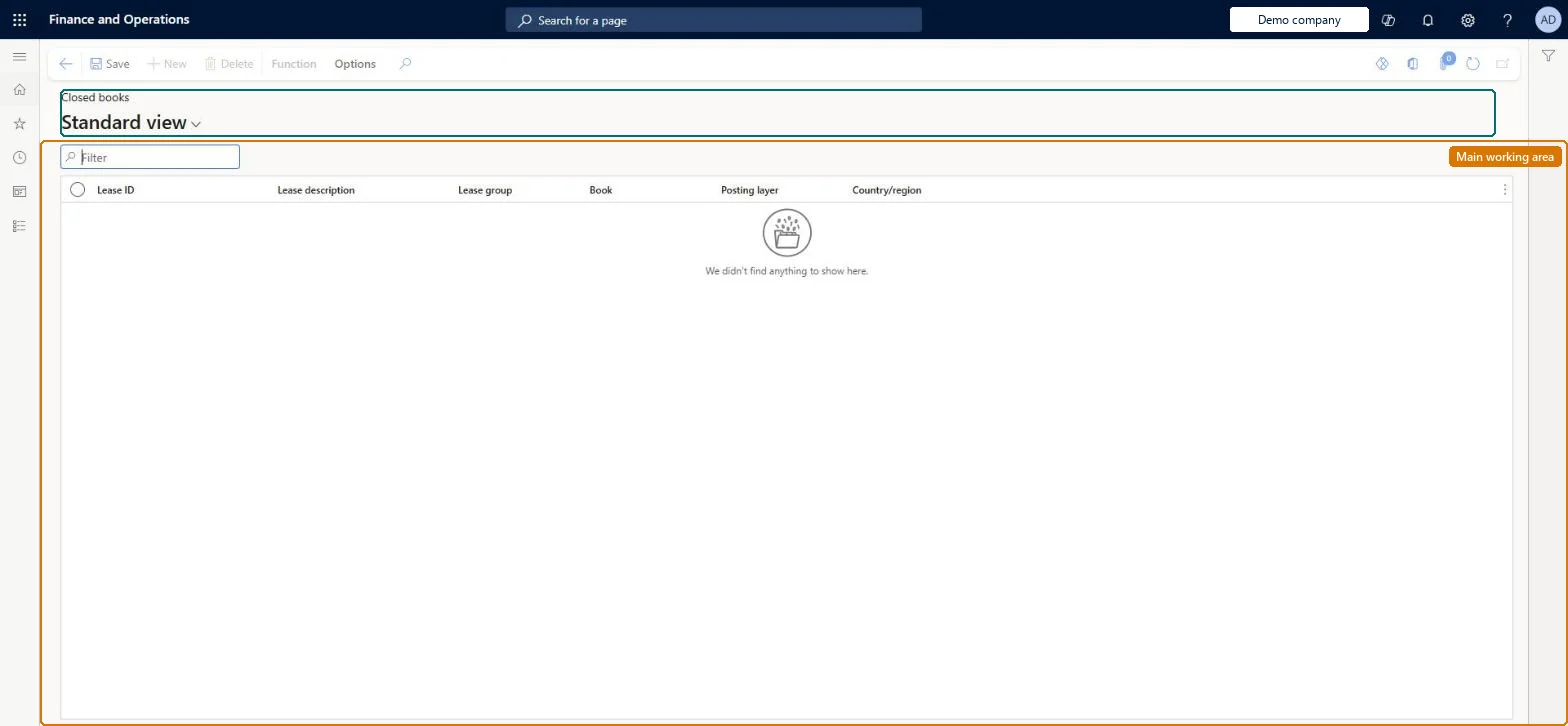
Closed books page in Dynamics 365
The page in Dynamics 365. page title tab to open what to set or check
Functional consultant · Solution architect

2Where it fits

Business processManage active assets › Maintain asset leases
Menu pathAsset leasing › Leases › Closed books
Set up firstLease impairment Microsoft Learn
Used next byLease reports: Asset movement Microsoft Learn
Related pagesOpen books Microsoft Learn
End user · Functional consultant

3How to do it

About the examples: Examples and screenshots in this guide use BEAT, a demo company in a Dynamics 365 test environment. Use your own company's codes and values instead of copying them.

Setup steps on this page

Review closed lease books

Use the Closed books list to find the lease books that need attention.

Steps from Microsoft

  1. Go to Asset leasing > Leases > Closed books.
  2. Filter on Lease ID and Posting layer.
  3. Select a row and use Function to open the book, or go to Lease summary > Books for the lease's schedules.

Source: Microsoft Learn

Fields on the page

FieldWhat it meansExample
Lease ID / Lease descriptionThe lease the book belongs to.Checked in Dynamics 365
Lease groupThe lease group, which decides the books each lease gets.Microsoft Learn
BookThe lease book, which holds the accounting policy (framework, lease type, thresholds) and the posted lease transactions.Microsoft Learn
Posting layerThe posting layer the book posts to; one book per layer makes dual reporting possible.Microsoft Learn Current
Country/regionThe country/region recorded on the lease.Checked in Dynamics 365

Common errors and fixes

MessageWhat to do
A posting is refused on a closed bookReopen the lease (Reopen lease status) if the correction is needed, post it, then close the book again. Microsoft Learn

Test checklist

  1. Impair a lease book with Close book = Yes.
  2. Open Closed books and filter on the lease ID.
  3. Try to create a journal for the closed book: it is refused.

Source: Microsoft Learn

Functional consultant

4Setup decisions

Setup stepRecommended value and whyDecision, common mistake and test
Review closed lease booksFilter on the lease ID and the posting layer, and check that every book of the lease is closed before an audit file is prepared.Books close one by one, for example through an impairment with Close book = Yes, so a lease can have one book closed and another still open.When is the Closed books list checked, and by whom?Assuming a closed book can still take a correction: closed books can't be posted to or adjusted until the lease is reopened.Test: Closed books shows the right books

Feature management and licence

Feature to turn onAsset leasing (Must be on)
Licence or add-inAsset leasing must be turned on in Feature management (feature Asset leasing). Microsoft Learn describes three Asset leasing roles: Maintain lease (add, edit and post leases), View lease (view leases and schedules and run reports) and Lease clerk (create new leases only). Maintain lease and View lease users read this list.

Microsoft Learn

Solution architect

5Design impact

Shared or per companyPer company: leases with their books, schedules and journals belong to the legal entity you are working in, and Lease ID numbers come from a number sequence set per company. Turn on Cross entity batch in Asset leasing parameters to create journals for other legal entities from the current one. Microsoft Learn
Can it be undoneReversible: The list changes no data. Microsoft Learn
If you change it laterA closed book can't be posted to or adjusted. With Allow depreciation reversals on closed book = No, which Microsoft recommends, its depreciation can't be reversed either. Microsoft Learn
Technical architect

6Technical

Menu itemAssetLeaseCloseLeasesListPage Checked in Dynamics 365
FormAssetLeaseBookDetail Checked in Dynamics 365
TableAssetLeaseLeaseDetailsShown as “LEASES” in Record infoKey field: LeaseIdChecked in Dynamics 365
Data entitiesAssetLeaseLeaseBookEntityLease books Checked in Dynamics 365AssetLeasePaymentAmountBreakdownEntityLease payment amount breakdown (only the payment amount breakdown lines) Checked in Dynamics 365
Who can open itPrivilegesMaintain lease AssetLeaseLeaseMaintainMaintain lease without vendor invoice access AssetLeaseLeaseMaintainWithoutVendInvoiceAccessView lease AssetLeaseLeaseViewDutiesLease inquire AssetLeaseLeaseInquireMaintain lease AssetLeaseLeaseMaintainMaintain lease without vendor invoice access AssetLeaseLeaseMaintainWithoutVendInvoiceAccess
4 security rolesLease accountant AssetLeaseLeaseMaintainLease manager AssetLeaseLeaseViewAccountant LedgerAccountantAccounting manager LedgerAccountingManager
Checked in Dynamics 365
Roles to set it up and use itTo set it up or change itLease accountant AssetLeaseLeaseMaintainAccountant LedgerAccountantTo use itLease manager AssetLeaseLeaseViewAccounting manager LedgerAccountingManagerGive people one of these roles. On this system, 4 roles can open this page.Checked in Dynamics 365
Actions on the pageFunctionChecked in Dynamics 365
Developer

7Developer

Open it by URLhttps://<your-environment>/?mi=AssetLeaseCloseLeasesListPage
Integrate withAssetLeaseLeaseBookEntity data entity Checked in Dynamics 365
Data migrationAssetLeaseLeaseBookEntity (Lease books): reads and exports the books in this list. Lease books are created by Create schedules from the lease group, so load leases, not books. Microsoft's route for bulk leases is the Lease import framework (Lease staging, Payment contract staging, Executory contract staging), then Migrate lease records.Load order: Load the Asset leasing setup in Microsoft's order: lease books, lease groups, then the parameters (journal names, posting accounts, executory cost accounts), expense types, payment amount types, index rate types and locations, and only then the leases.Load first: Lease summaryMicrosoft Learn
Everyone

8Sources

KEEP EXPLORING

More in Asset leasing.

Open the other pages and setup steps in this module, or go back to the Atlas Hub to search every page.