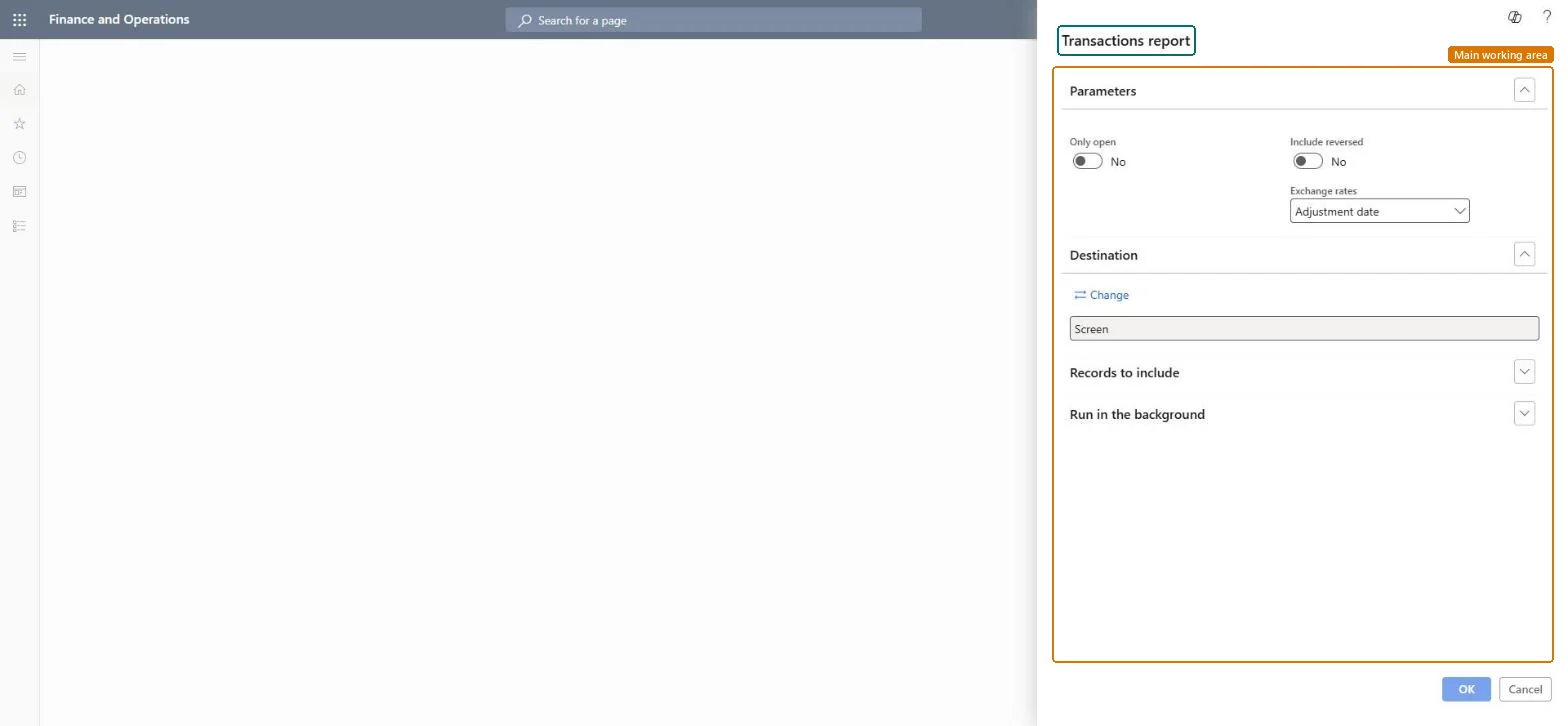
Accounts receivable › Inquiries and reports › Transactions report
End user · Functional consultant
3How to do it
About the examples: Examples and screenshots in this guide use BEAT, a demo company in a Dynamics 365 test environment. Use your own company's codes and values instead of copying them.
When to run it
When to run it
When you review invoiced customer transactions for a period, for example during collections or reconciliation.
How often
On demand, or at period end as part of the review of customer accounts.
What the output shows
Invoiced customer transactions with debits, credits and amounts for each invoice. Amounts that differ from the ledger usually come from the Exchange rates choice, which includes or leaves out revaluations.
Adjustment date includes foreign currency revaluations; Invoice date doesn't.Microsoft Learn
Solution architect
4Design impact
Can it be undone
Nothing to undo: The report only reads customer transactions. Microsoft Learn
Technical architect
5Technical
Menu item
Output:CustTransListChecked in Dynamics 365
Form
SysOperationTemplateFormChecked in Dynamics 365
Roles to set it up and use it
To use itAccounts receivable manager CustInvoiceAccountsReceivableManagerAccounting manager LedgerAccountingManagerFinancial controller LedgerFinancialControllerAuditor AuditPolicyManagerChief financial officer CompanyChiefFinancialOfficerGive people one of these roles. On this system, 6 roles can run this page.Checked in Dynamics 365