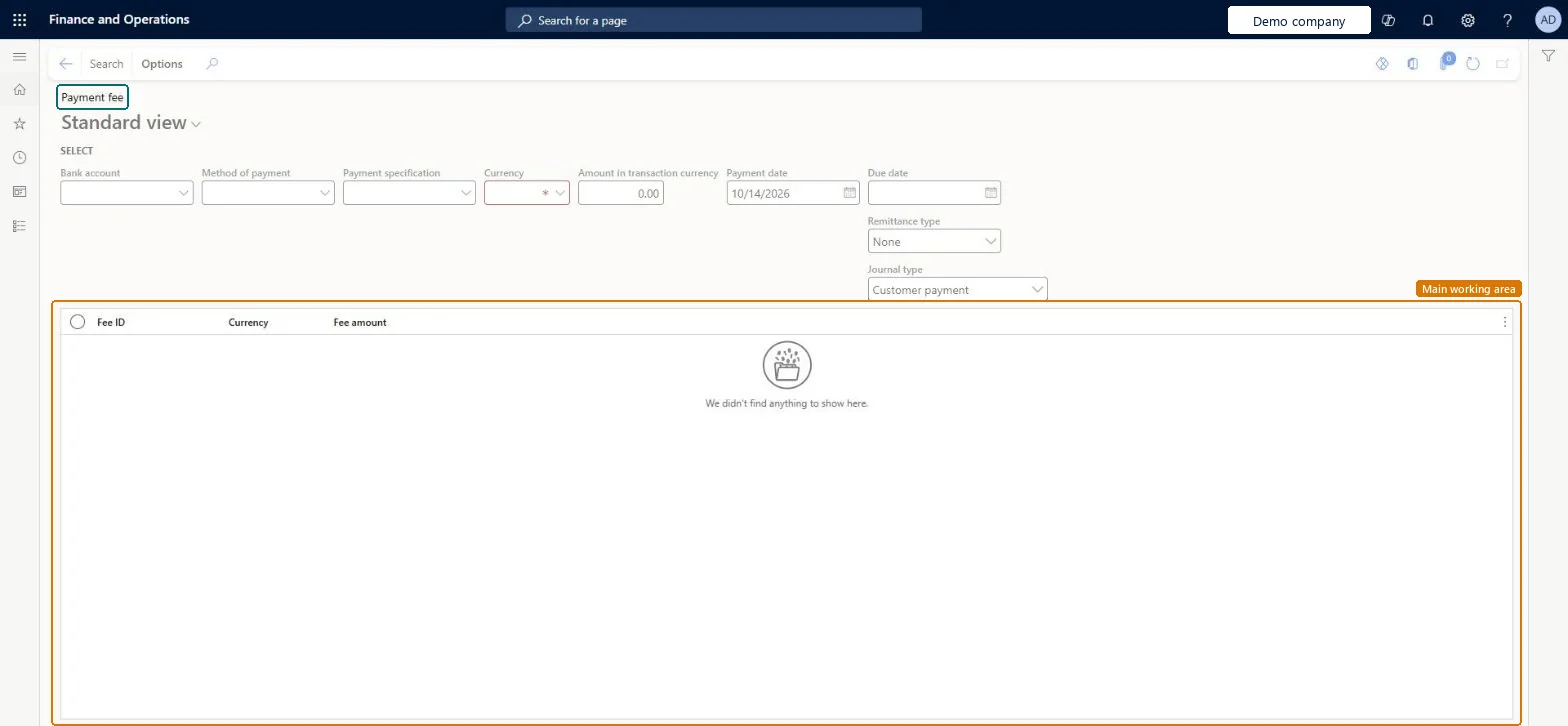
The Payment fee page, where payment fees for customer payments are created, each with a fee ID, name, charge type (customer or ledger) and journal type.
Accounts receivable clerk, Accounts receivable manager, Collections agent and 7 more roles
Business process
Process customer payments
Menu item
CustPaymFeeInquiry
Main table
CustVendPaymJournalFee
Data entity
CustomerPaymentJournalFeeEntity
Show what matters for
PAGE GUIDEWhat the page does and how to use it7 sections. Choose a role to highlight what matters to you.
Everyone
1What it is and why
What it is
The Payment fee page, where payment fees for customer payments are created, each with a fee ID, name, charge type (customer or ledger) and journal type.
What you do here
Use it to define payment fees and, through Payment fee setup, the criteria (bank account, method of payment, currency, amount or percentage) for when a fee is assessed.
Example
A company charges customers a fee when they pay by check instead of by electronic payment.
The page in Dynamics 365. page title tab to open what to set or check
About the examples: Examples and screenshots in this guide use BEAT, a demo company in a Dynamics 365 test environment. Use your own company's codes and values instead of copying them.
How to use it
Go to Accounts receivable > Inquiries and reports > Payments > Payment fee.
Under Select, fill in the Bank account, Method of payment, Payment specification and Currency, which is required.
Enter the Amount in transaction currency, the Payment date and the Due date.
Set Remittance type and Journal type, which shows Customer payment.
Select Search in the Action Pane.
Review the Fee ID, Currency and Fee amount columns.
To use itAccounts receivable manager CustInvoiceAccountsReceivableManagerAccounts receivable clerk CustInvoiceAccountsReceivableClerkCollections manager CollectionLetterCollectionsManagerAccounts receivable payments clerk PaymAccountsReceivablePaymentsClerkAccounts receivable centralized payments clerk PaymAccountsReceivableCentralPaymClerkGive people one of these roles. On this system, 10 roles can open this page.Checked in Dynamics 365