BeyondERP.Newsletter
Menu

Report page · Accounts receivable

Bill of exchange journal report

A report that shows the transactions in the bill of exchange journal, including the status of each transaction.

Business process
Manage bills of exchange
Menu item
Output:CustBillOfExchangeReport
Show what matters for
PAGE GUIDEWhat the page does and how to use it7 sections. Choose a role to highlight what matters to you.
Everyone

1What it is and why

What it isA report that shows the transactions in the bill of exchange journal, including the status of each transaction.
What you do hereUse this report to analyze bill of exchange journal transactions and their status.
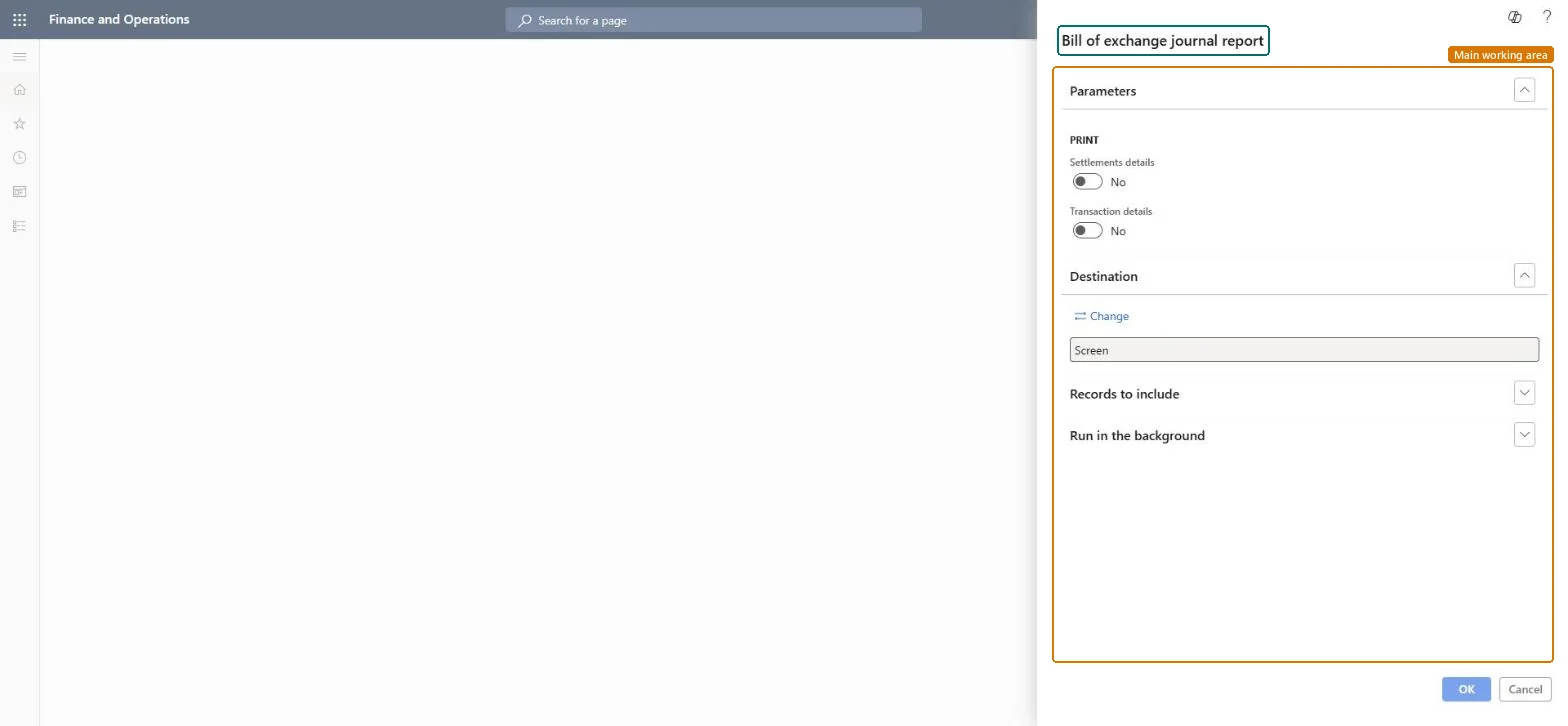
Bill of exchange journal report page in Dynamics 365
The page in Dynamics 365. page title tab to open what to set or check
Functional consultant · Solution architect

2Where it fits

Business processManage accounts receivable › Manage bills of exchange
Menu pathAccounts receivable › Inquiries and reports › Payments › Bill of exchange journal report
End user · Functional consultant

3How to do it

About the examples: Examples and screenshots in this guide use BEAT, a demo company in a Dynamics 365 test environment. Use your own company's codes and values instead of copying them.

When to run it

When to run itWhen you follow up bills of exchange, for example before remittance or at period end.
How oftenOn demand, while bills of exchange are open.
What the output showsTransactions in the bill of exchange journal with the status of each transaction and, if chosen, the settled invoices and vouchers. A bill still in an early status after its due date needs follow-up.

Source: Microsoft Learn

Steps from Microsoft

  1. Go to Accounts receivable > Inquiries and reports > Payments > Bill of exchange journal report.
  2. Switch Settlements details to Yes to include the invoices and other transactions settled with each bill of exchange.
  3. Switch Transaction details to Yes to include the vouchers of the bills of exchange.
  4. Filter on the journals or customers you need, run it and read the status of each bill.

Source: Microsoft Learn

Fields on the page

FieldWhat it means
Settlements detailsIncludes the invoices and other transactions settled with the bills of exchange.Microsoft Learn
Transaction detailsIncludes the vouchers for the bills of exchange.Microsoft Learn
Solution architect

4Design impact

Can it be undoneNothing to undo: The report only reads bill of exchange journals. Microsoft Learn
Technical architect

5Technical

Menu itemOutput:CustBillOfExchangeReport Checked in Dynamics 365
FormSysOperationTemplateForm Checked in Dynamics 365
Roles to set it up and use itTo use itAccounts receivable manager CustInvoiceAccountsReceivableManagerAccounts receivable clerk CustInvoiceAccountsReceivableClerkAccounting manager LedgerAccountingManagerCollections manager CollectionLetterCollectionsManagerAccounts receivable payments clerk PaymAccountsReceivablePaymentsClerkGive people one of these roles. On this system, 13 roles can run this page.Checked in Dynamics 365
Developer

6Developer

Open it by URLhttps://<your-environment>/?mi=Output:CustBillOfExchangeReport
Everyone

7Sources