PAGE GUIDEWhat the page does and how to use it7 sections. Choose a role to highlight what matters to you.
Everyone
1What it is and why
What it is
A report that lists sales order lines that have not been invoiced, with options to break the lines down by product and inventory dimensions.
What you do here
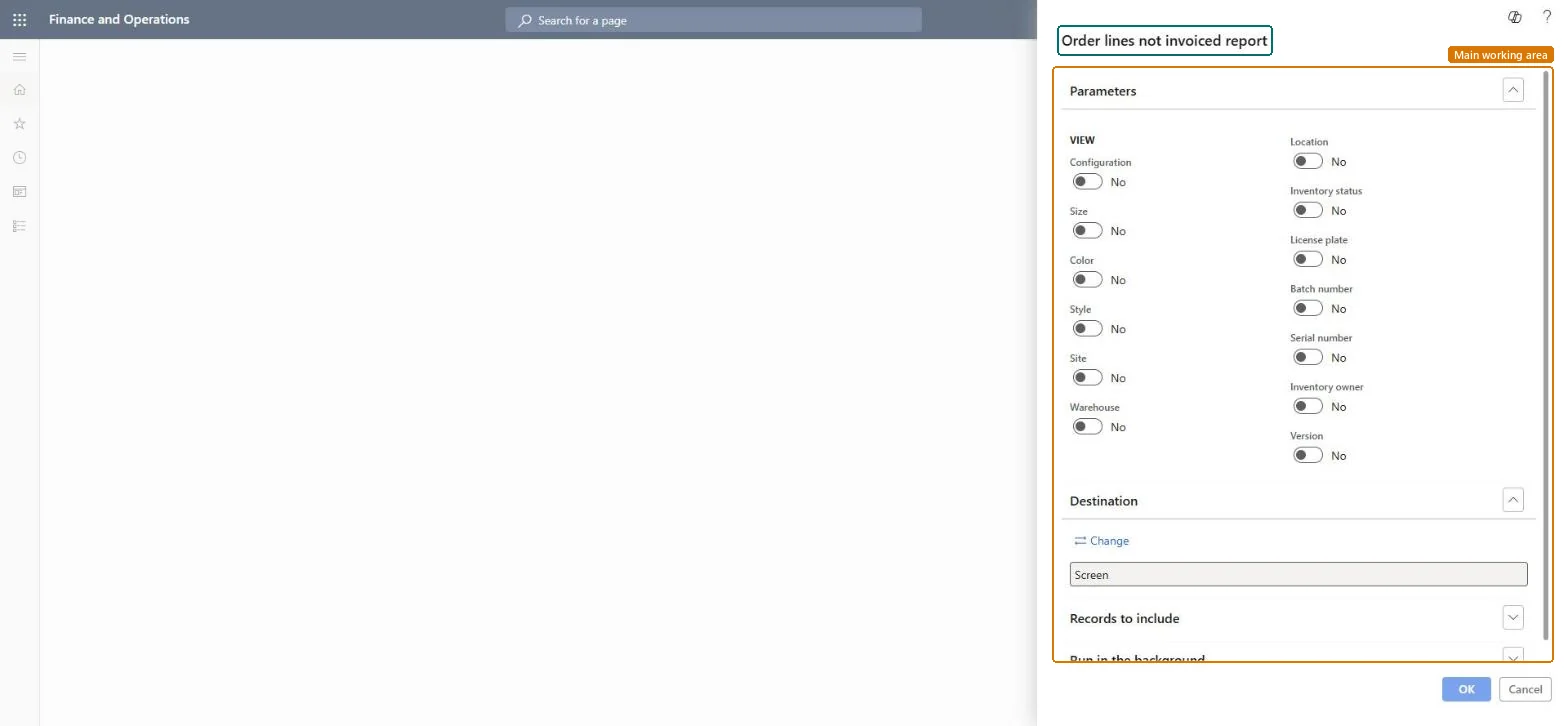
Use this report to review the sales order lines that are not yet invoiced, and to choose which dimensions, such as configuration, size, color, style, site, warehouse, location or batch number, are shown.
The page in Dynamics 365. page title tab to open what to set or check
Accounts receivable › Inquiries and reports › Orders › Order lines not invoiced report
End user · Functional consultant
3How to do it
About the examples: Examples and screenshots in this guide use BEAT, a demo company in a Dynamics 365 test environment. Use your own company's codes and values instead of copying them.
When to run it
When to run it
Before period end or before an invoicing run, to find sales order lines with an invoice remainder.
How often
On demand, typically before each invoicing run or at period end.
What the output shows
Sales order lines with quantities not yet invoiced, broken down by the dimensions you switched on. A line listed long after delivery usually has a packing slip that was never invoiced.
Go to Accounts receivable > Inquiries and reports > Orders > Order lines not invoiced report.
Under View, switch on each dimension to show, such as Site, Warehouse, Batch number or Serial number, or Configuration, Size, Color and Style for variants.
Filter on customers, sales orders or dates so only the open lines you care about are listed.
Run the report and follow up lines that are delivered but not invoiced.
Nothing to undo: The report only reads sales order lines. Microsoft Learn
Technical architect
5Technical
Menu item
Output:SalesNotInvoicedChecked in Dynamics 365
Form
SysOperationTemplateFormChecked in Dynamics 365
Roles to set it up and use it
To use itAccounts receivable manager CustInvoiceAccountsReceivableManagerAccounts receivable clerk CustInvoiceAccountsReceivableClerkAccounting manager LedgerAccountingManagerCollections manager CollectionLetterCollectionsManagerAccounts receivable payments clerk PaymAccountsReceivablePaymentsClerkGive people one of these roles. On this system, 29 roles can run this page.Checked in Dynamics 365