PAGE GUIDEWhat the page does and how to use it7 sections. Choose a role to highlight what matters to you.
Everyone
1What it is and why
What it is
A report that gives detailed information about the open transactions of each customer as of a chosen date.
What you do here
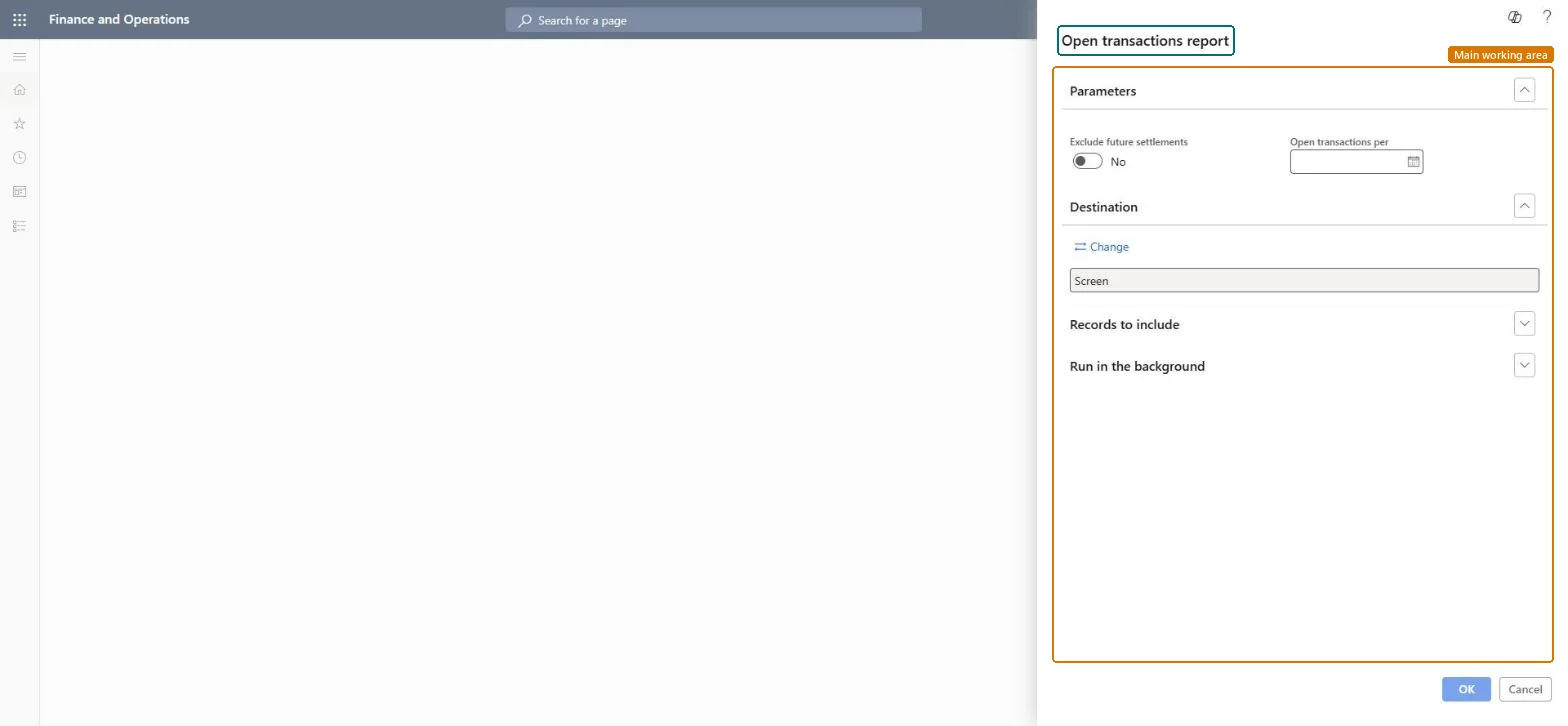
Use this report to review each customer's open transactions, with dates, vouchers, amounts, and balances, as of the date entered in the Open transactions per field.
The page in Dynamics 365. page title tab to open what to set or check
Accounts receivable › Inquiries and reports › Open transactions report
End user · Functional consultant
3How to do it
About the examples: Examples and screenshots in this guide use BEAT, a demo company in a Dynamics 365 test environment. Use your own company's codes and values instead of copying them.
When to run it
When to run it
At period end or for an audit, when you need each customer's open items as of a past or current date.
How often
At each period close, or on demand for collections reviews.
What the output shows
Each customer's open transactions with dates, vouchers, amounts and balances as of the chosen date. A balance that doesn't match the ledger often comes from settlements dated after the report date.
The date as of which open transactions are included; if left blank, the latest possible date is used.Microsoft Learn
Solution architect
4Design impact
Can it be undone
Nothing to undo: The report only reads open customer transactions. Microsoft Learn
Technical architect
5Technical
Menu item
output:CustTransOpenPerDateChecked in Dynamics 365
Form
SysOperationTemplateFormChecked in Dynamics 365
Roles to set it up and use it
To use itAccounts receivable manager CustInvoiceAccountsReceivableManagerAccounting manager LedgerAccountingManagerCollections manager CollectionLetterCollectionsManagerFinancial controller LedgerFinancialControllerAccountant LedgerAccountantGive people one of these roles. On this system, 9 roles can run this page.Checked in Dynamics 365