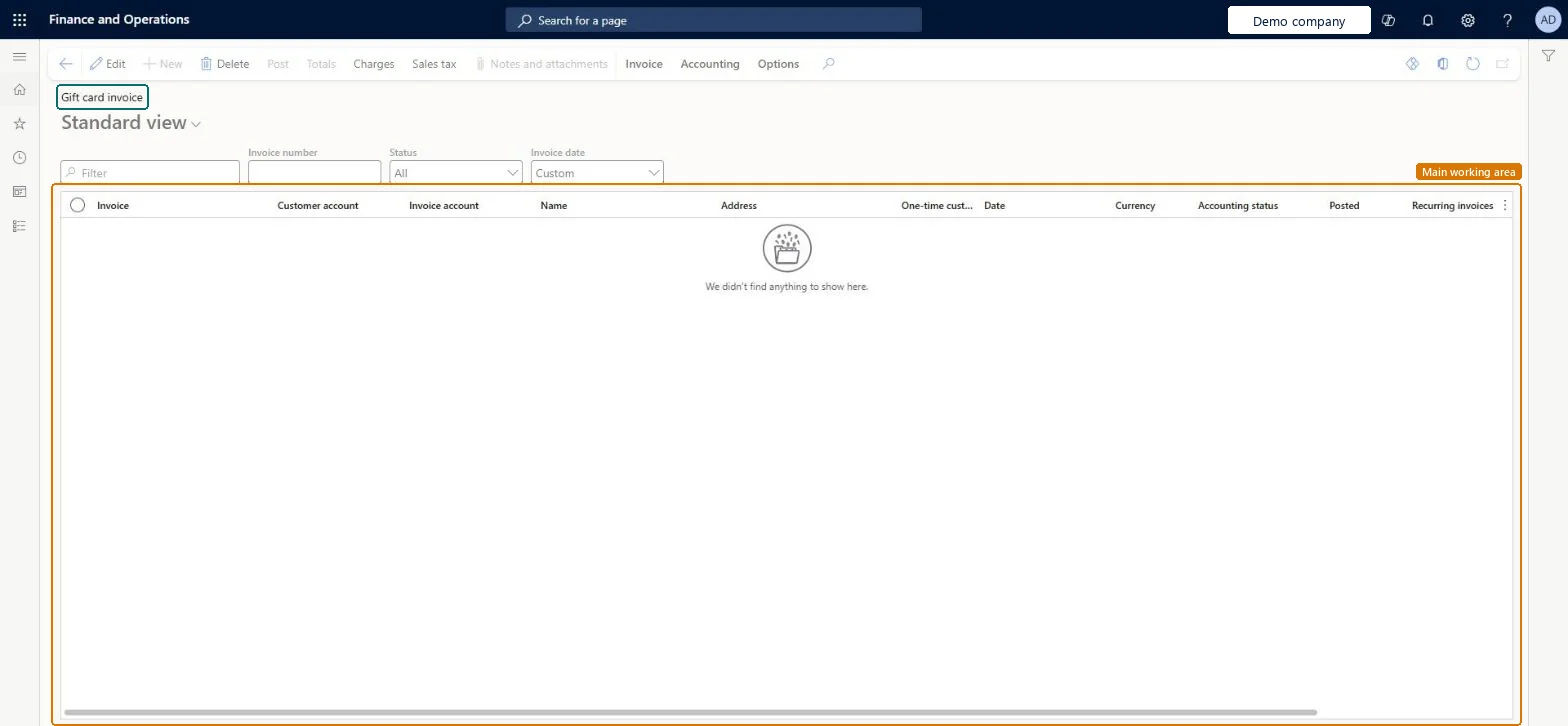
An inquiry page that lists gift card invoices, with the customer account, invoice account, name, date, currency, accounting status and posted status of each invoice.
PAGE GUIDEWhat the page does and how to use it7 sections. Choose a role to highlight what matters to you.
Everyone
1What it is and why
What it is
An inquiry page that lists gift card invoices, with the customer account, invoice account, name, date, currency, accounting status and posted status of each invoice.
What you do here
Use this page to review gift card invoices and to open their totals, charges and sales tax from the Action Pane.
The page in Dynamics 365. page title tab to open what to set or check
Accounts receivable › Inquiries and reports › Gift card invoice
End user · Functional consultant
3How to do it
About the examples: Examples and screenshots in this guide use BEAT, a demo company in a Dynamics 365 test environment. Use your own company's codes and values instead of copying them.
How to use it
Go to Accounts receivable > Inquiries and reports > Gift card invoice.
Enter an Invoice number, or set the Status and Invoice date filters, to narrow the list.
Check the Customer account, Invoice account, Name, Date, Currency, Accounting status and Posted columns.
Select an invoice, then select Totals, Charges or Sales tax.
Open the Invoice or Accounting tab for more actions.
PrivilegesMaintain gift card invoices MCRGiftCardCustFreeInvoiceDetailMaintainDutiesMaintain gift card payments MCRPaymGiftCardMaintainMaintain gift certificate payments MCRPaymGiftCertificateMaintain1 security roleSales manager TradeSalesManagerChecked in Dynamics 365
Roles to set it up and use it
To set it up or change itSales manager TradeSalesManagerGive people one of these roles. On this system, 1 role can open this page.Checked in Dynamics 365
Actions on the page
Invoice: New, Details, Related information, Document, Functions, Deductions, Print managementAccounting: AccountingOptions: Personalize, Page options, ShareChecked in Dynamics 365