PAGE GUIDEWhat the page does and how to use it7 sections. Choose a role to highlight what matters to you.
Everyone
1What it is and why
What it is
A report that prints customer account statements for internal use, with amounts always shown in the accounting currency of the legal entity.
What you do here
Use this report to review customer account statements in the company's own accounting currency, unlike the external statement that is sent to customers.
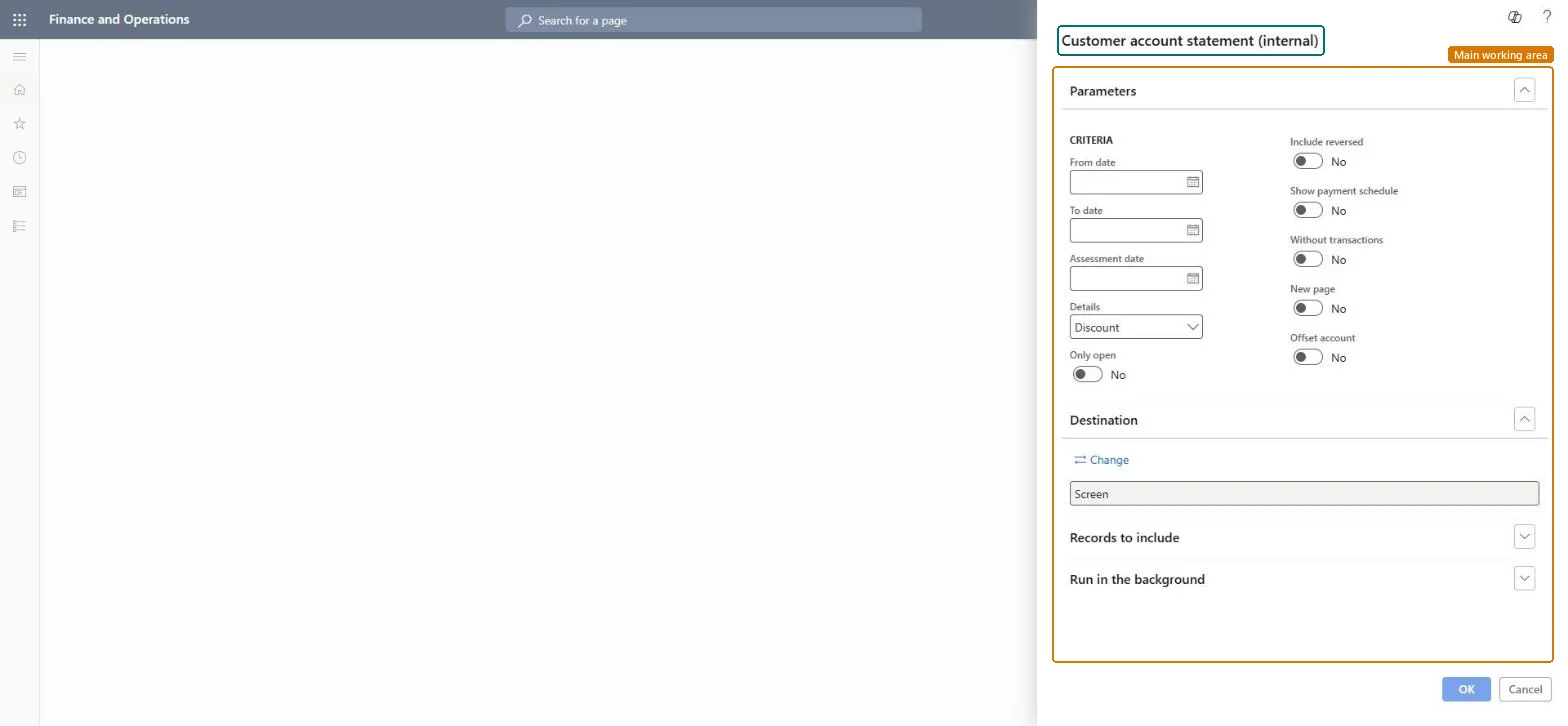
The page in Dynamics 365. page title tab to open what to set or check
About the examples: Examples and screenshots in this guide use BEAT, a demo company in a Dynamics 365 test environment. Use your own company's codes and values instead of copying them.
When to run it
When to run it
When finance needs to review customer accounts in the company's accounting currency, for example during collections or an audit, rather than send a statement out.
How often
On demand, or at period end for internal review.
What the output shows
Customer account statements for internal use, always in the accounting currency of the legal entity, unlike the external statement sent to customers. Amounts that differ from the customer's own statement usually come from the currency translation.
Nothing to undo: The internal statement only reads customer transactions. Microsoft Learn
Technical architect
5Technical
Menu item
Output:CustAccountStatementIntChecked in Dynamics 365
Form
SysOperationTemplateFormChecked in Dynamics 365
Roles to set it up and use it
To use itAccounts receivable manager CustInvoiceAccountsReceivableManagerAccounting manager LedgerAccountingManagerCollections manager CollectionLetterCollectionsManagerFinancial controller LedgerFinancialControllerAccountant LedgerAccountantGive people one of these roles. On this system, 9 roles can run this page.Checked in Dynamics 365