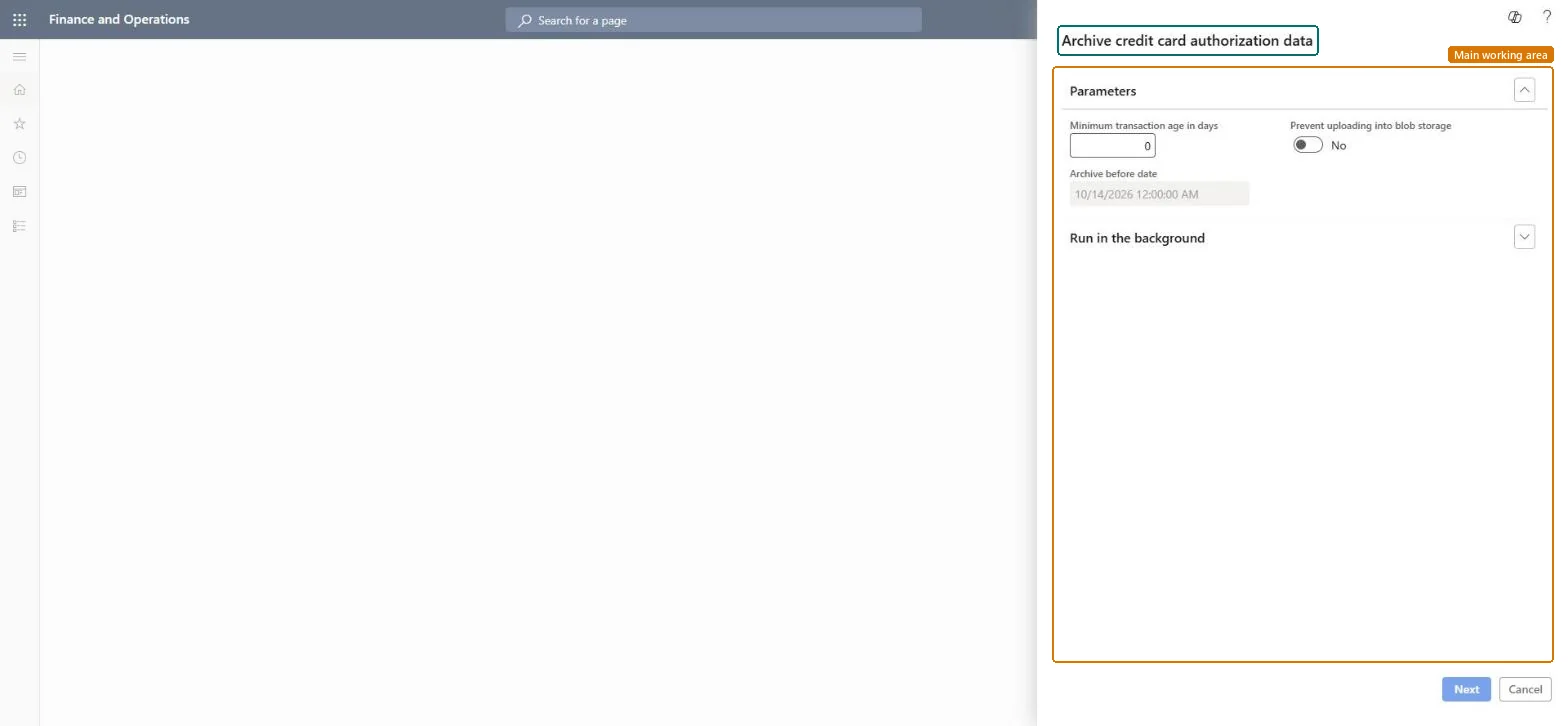
A clean-up job that exports aged payment tokens from the credit card authorization table (CreditCardAuthTrans) to Azure Blob Storage and then deletes that token data from the table.
PAGE GUIDEWhat the page does and how to use it7 sections. Choose a role to highlight what matters to you.
Everyone
1What it is and why
What it is
A clean-up job that exports aged payment tokens from the credit card authorization table (CreditCardAuthTrans) to Azure Blob Storage and then deletes that token data from the table.
What you do here
Use it to manage database storage for credit card authorization tokens; a Prevent uploading into blob storage option deletes the token data permanently instead of archiving it.
Example
When credit card tokens make the CreditCardAuthTrans table grow significantly, you run the job to archive or delete the aged token data.
The page in Dynamics 365. page title tab to open what to set or check
Accounts receivable › Inquiries and reports › Clean up › Archive credit card authorization data
End user · Functional consultant
3How to do it
About the examples: Examples and screenshots in this guide use BEAT, a demo company in a Dynamics 365 test environment. Use your own company's codes and values instead of copying them.
When to run it
When to run it
When the CreditCardAuthTrans table grows large, and only for authorizations older than your linked-refund period.
How often
On a regular schedule chosen to manage database storage; Learn gives no fixed cadence.
Batch settings
Run it as a batch job; the first run over a large backlog can take a long time.
What the output shows
Card token fields (CardTokenRequest and CardTokenResult) removed from old authorization records, archived to Azure Blob Storage unless deletion was chosen. A refund on an archived order must then be a standalone refund.
No: Archived token data can't easily be restored, and data deleted with Prevent uploading into blob storage can't be recovered. Set the minimum age to cover your linked-refund period first. Microsoft Learn
If you change it later
Exports aged payment tokens from CreditCardAuthTrans to Azure Blob Storage and deletes them from the table, or deletes them permanently when Prevent uploading into blob storage is on. Microsoft Learn
Technical architect
5Technical
Menu item
Action:CreditCardAuthTransArchiveChecked in Dynamics 365