BeyondERP.Newsletter
Menu

Report page · Accounts payable

Vendor phone list

A report that lists vendor phone numbers.

Business process
Manage supplier relationships
Menu item
output:VendPhoneList
Show what matters for
PAGE GUIDEWhat the page does and how to use it7 sections. Choose a role to highlight what matters to you.
Everyone

1What it is and why

What it isA report that lists vendor phone numbers.
What you do hereUse this report to print a list of vendor phone numbers.
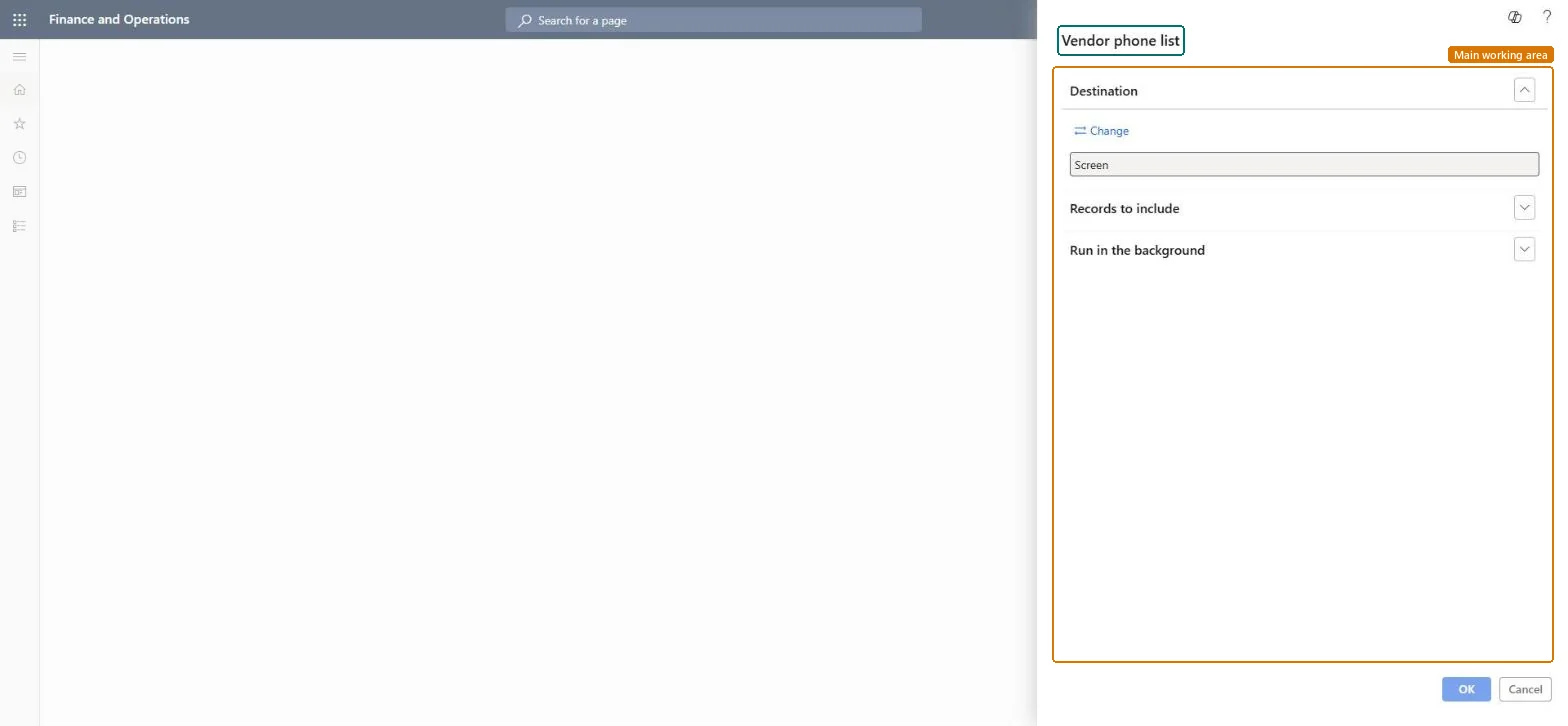
Vendor phone list page in Dynamics 365
The page in Dynamics 365. page title tab to open what to set or check
Functional consultant · Solution architect

2Where it fits

Business processManage supplier relationships
Menu pathAccounts payable › Inquiries and reports › Vendor reports › Vendor phone list
End user · Functional consultant

3How to do it

About the examples: Examples and screenshots in this guide use BEAT, a demo company in a Dynamics 365 test environment. Use your own company's codes and values instead of copying them.

When to run it

When to run itWhen you need a quick list of vendor phone numbers, for example for a purchasing team.
How oftenOn demand.
What the output showsVendor names with their phone numbers. A vendor without a number has no phone recorded in its contact information.

Source: Microsoft Learn

Steps from Microsoft

  1. Go to Accounts payable > Inquiries and reports > Vendor reports > Vendor phone list.
  2. Decide which vendors you need on the list, for example one vendor group or only active vendors.
  3. Under Records to include, set that filter so only those vendors are listed.
  4. Print the list to screen or select Change under Destination to send it to a file.
  5. Look for vendors with no number: they have no phone recorded in their contact information.

Source: Microsoft Learn

Solution architect

4Design impact

Can it be undoneNothing to undo: The list only reads vendor data; nothing changes. Microsoft Learn
Technical architect

5Technical

Menu itemoutput:VendPhoneList Checked in Dynamics 365
FormSysOperationTemplateForm Checked in Dynamics 365
Roles to set it up and use itTo use itAccounts payable manager VendInvoiceAccountsPayableManagerAccounting supervisor LedgerAccountingSupervisorAccounting manager LedgerAccountingManagerAccounts payable clerk VendInvoiceAccountsPayableClerkChief financial officer CompanyChiefFinancialOfficerGive people one of these roles. On this system, 18 roles can run this page.Checked in Dynamics 365
Developer

6Developer

Open it by URLhttps://<your-environment>/?mi=output:VendPhoneList
Everyone

7Sources