Accounts payableInquiries and reportsPurchase order reports
Output:LedgerTransListAccountVend
Business process
Procure goods and services
Menu item
Output:LedgerTransListAccountVend
Show what matters for
PAGE GUIDEWhat the page does and how to use it7 sections. Choose a role to highlight what matters to you.
Everyone
1What it is and why
What it is
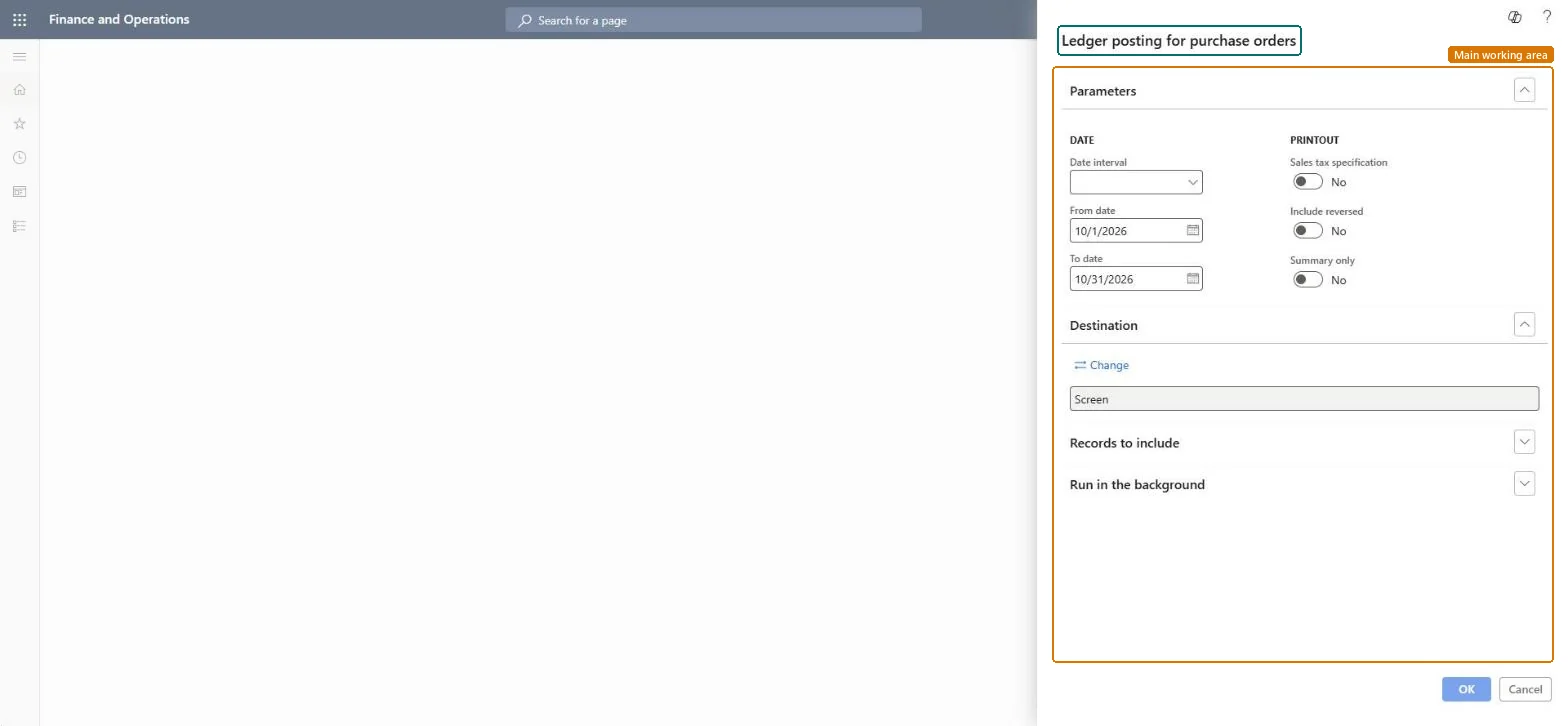
A report dialog that sets the date range and print options for the Ledger posting for purchase orders report.
What you do here
Use this report to list the ledger postings for purchase orders in a date range, with options to include the sales tax specification, include reversed entries or show a summary only.
The page in Dynamics 365. page title tab to open what to set or check
Accounts payable › Inquiries and reports › Purchase order reports › Ledger posting for purchase orders
End user · Functional consultant
3How to do it
About the examples: Examples and screenshots in this guide use BEAT, a demo company in a Dynamics 365 test environment. Use your own company's codes and values instead of copying them.
When to run it
When to run it
When you check how purchase order documents were posted to the ledger, for example at period end.
How often
On demand, or monthly at period end.
What the output shows
Ledger postings for purchase orders in the date range, with optional sales tax specification and reversed entries. Postings on unexpected accounts usually point to the vendor posting profile or item posting setup.
Go to Accounts payable > Inquiries and reports > Purchase order reports > Ledger posting for purchase orders.
Choose a Date interval, or enter the From date and To date of the postings.
Switch Sales tax specification on to add the tax details, Include reversed on to show reversed entries, and Summary only on for totals instead of lines.
Filter the records under Records to include, then print and compare the accounts with your posting setup.
Nothing to undo: The report only reads posted entries; nothing changes. Microsoft Learn
Technical architect
5Technical
Menu item
Output:LedgerTransListAccountVendChecked in Dynamics 365
Form
SysOperationTemplateFormChecked in Dynamics 365
Roles to set it up and use it
To use itAccounting supervisor LedgerAccountingSupervisorAccounting manager LedgerAccountingManagerChief financial officer CompanyChiefFinancialOfficerFinancial controller LedgerFinancialControllerAccountant LedgerAccountantGive people one of these roles. On this system, 7 roles can run this page.Checked in Dynamics 365